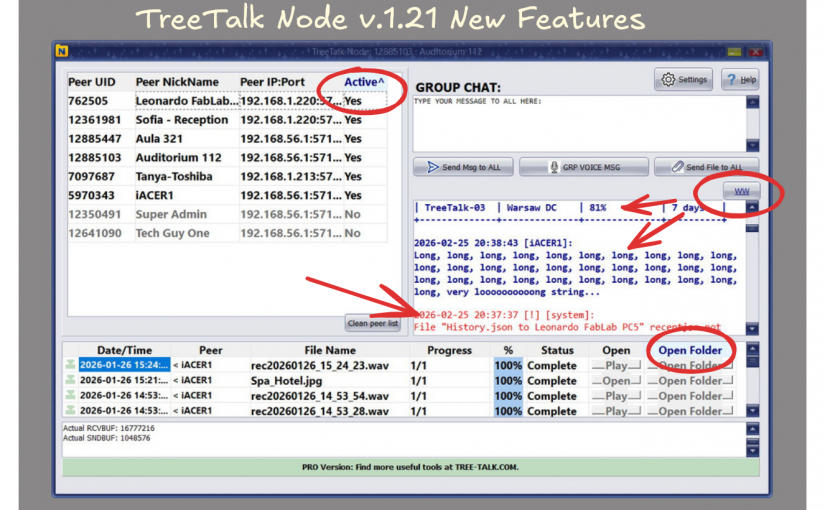
Thanks to your feedback, TreeTalk Node has received its first major update in version 1.21.
One of the unexpected advantages of agentic AI coding is how fast you can respond to user feedback. Ideas that previously sat in a backlog for weeks can now be implemented much faster. That helped us ship TreeTalk Node 1.21, our first major usability update.
We improved the contrast of the contacts panel and added tooltips to all main interface elements.
The chat placeholder is now removed automatically, and peers are sorted by activity.
In addition, system error messages are now highlighted with color.

Peers can now be sorted by activity with a single click. We also added a Word Wrap button that lets you collapse long lines instantly or display structured information without wrapping.
Long lines can be easily folded for better readability.
And if you need to view structured or pre-formatted data (for example, tables), Word Wrap can be just as easily turned off.
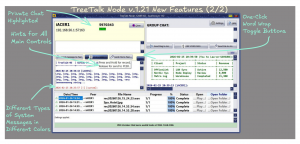
The private chat panel has also received a new highlight color and tooltips for its controls.
A monospaced font makes it easier to share tables, and the Word Wrap feature works in private chat as well.
The file log now includes an option to open the downloads folder, even if no files are currently visible there or they have been pushed further down the list.
In the About window, you can now copy all program information with one click. This may be especially useful for organizations managing multiple installations and handling batch license renewals.
We hope these improvements make TreeTalk Node even more convenient and enjoyable to use.