TreeTalk Node Local Private Messenger and File Sharing Is Now on Microsoft Store
On July 7, 2026, Microsoft approved TreeTalk Node for the Store.
That gives Windows users two real ways to install it now. One is the portable EXE/ZIP we’ve shipped since launch. The other is the Store version, built for Windows 10 and 11.
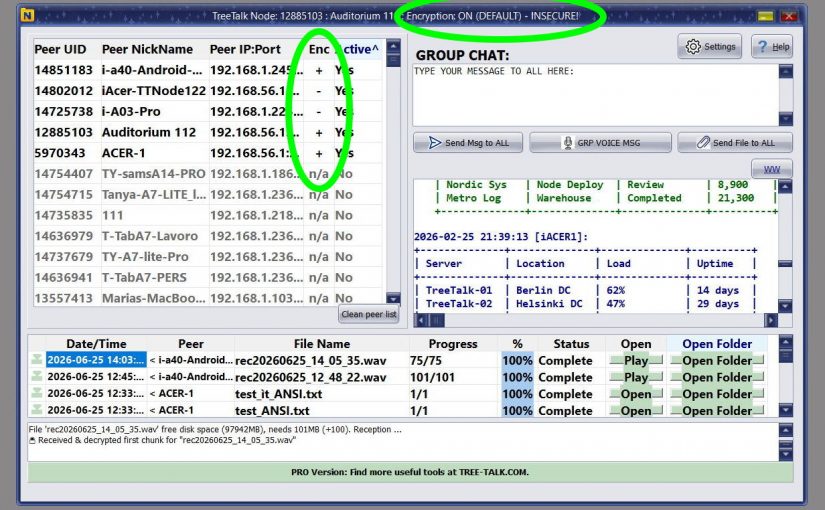
TreeTalk Node 1.22: Secure-by-Default Local File Sharing, Better LAN Messaging, and Clearer Encryption Status
TreeTalk Node 1.22 is a practical release.
No theatrical reinvention. No features added to look good in a demo. No roadmap item invented without real evidence.
The June Release fixes the small decisions that shape real work. Group text messaging works better. Large-group message distribution is faster. Private chats are easier to read. Long user names no longer get cut off. Input fields are more comfortable to type in. Encryption status is now visible at the moment users actually need to see it.
For new installations, end-to-end encryption is enabled by default.
The common thread: every change came from real user feedback. People used TreeTalk Node in offices, laboratories, VPN environments, warehouses, and internal networks. They described where friction appeared. Version 1.22 is the answer.
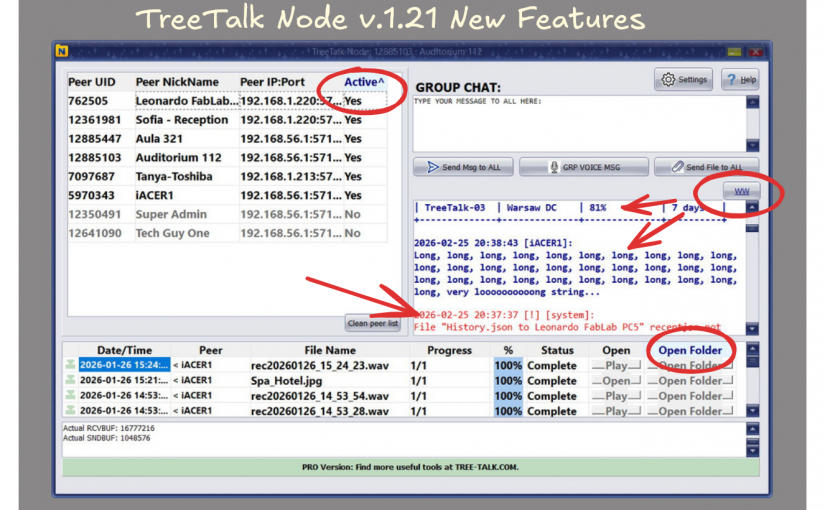
Thanks to your feedback, TreeTalk Node has received its first major update in version 1.21.
One of the unexpected advantages of agentic AI coding is how fast you can respond to user feedback. Ideas that previously sat in a backlog for weeks can now be implemented much faster. That helped us ship TreeTalk Node 1.21, our first major usability update.
We improved the contrast of the contacts panel and added tooltips to all main interface elements. The chat placeholder is now removed automatically, and peers are sorted by activity.
January 27, 2026 — Today marks the official ProductHunt launch of TreeTalk Node, a radical departure from cloud-dependent file sharing. Built as a direct response to surveillance capitalism, TreeTalk Node offers professionals and teams a serverless, local-first alternative that prioritizes data sovereignty over convenience.
The Problem: Big Tech Controls Your Files
Email providers block attachments. Google Drive scans your content. Collaboration platforms monetize your data. For professionals handling sensitive information — from legal documents to medical records to proprietary business data — this surveillance infrastructure has become untenable. Continue reading TreeTalk Node: Serverless P2P File Sharing / Messenger That Puts Privacy First
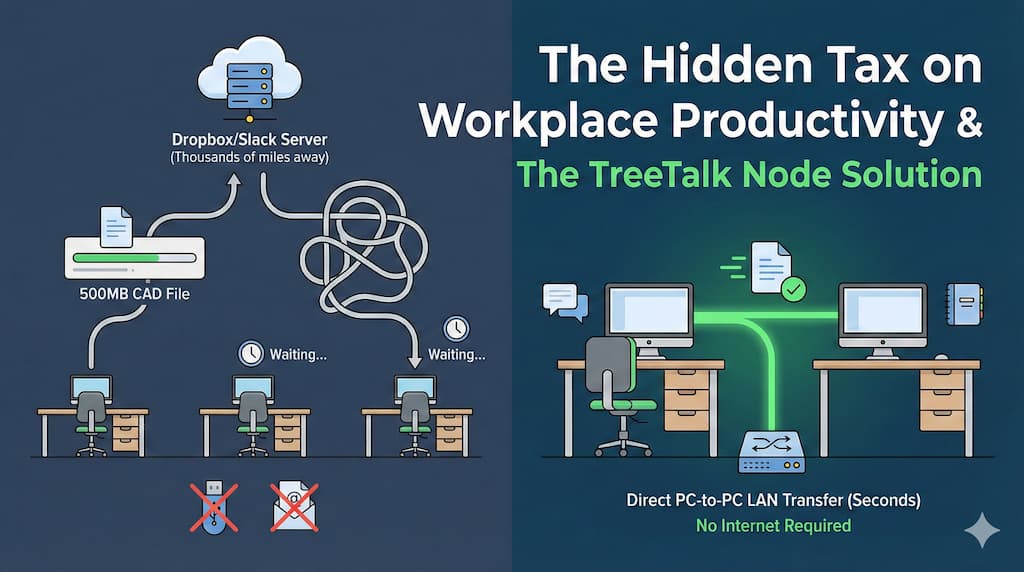
We’ve normalized something absurd in modern offices. You need to send a CAD file to your colleague three desks away. Both computers are on the same network. The file is 500MB. Logic says this should take seconds. Instead, you’re uploading to Dropbox (waiting), generating a share link (waiting), sending via Slack, while your colleague downloads it back down (more waiting) — routing a file that never needed to leave the building through servers thousands of miles away. Or you’re wrestling with email attachment limits. Or remembering which shared drive has the right permissions. Or hunting for a USB stick that’s inevitably “somewhere” when you need it most. The cloud promised to make work easier. For local file sharing, it made things worse.
Why We Built TreeTalk Node
This frustration hit home in our own workflow. Small development team, mixed Windows environment (some machines running Windows 7 for legacy testing, others on Windows 11), frequent need to move builds, logs, design files, and documentation between systems.
TreeTalk Node: Faster Ways to Send Large Files
Cloud tools felt like using a forklift to move a coffee cup. We didn’t need synchronization, version control, or global access. We needed something simpler: send this file to that person, right now, across our local network. Traditional solutions all had dealbreakers:
SMB/network shares require IT configuration most users can’t do themselves, and discovery is terrible (“Is Bob’s machine \DESKTOP-X7K2 or \BOB-PC?”)
FTP/file servers need dedicated infrastructure and someone to maintain it
P2P sync tools (Syncthing, Resilio) are built for continuous folder synchronization, not quick interactive transfers
Legacy LAN messengers have outdated UIs, poor file handling, and security practices from 2005
We wanted something that worked like this: open app, see “Bob – Workstation 3” in the peer list, drag file, send. Done. So we built TreeTalk Node — offline-first file transfer and team chat for Windows PCs in local networks.
How It Actually Works
TreeTalk Node treats your local network the way it should be treated: as a fast, private space you already control.
TreeTalk Node: Faster Ways to Send Large Files
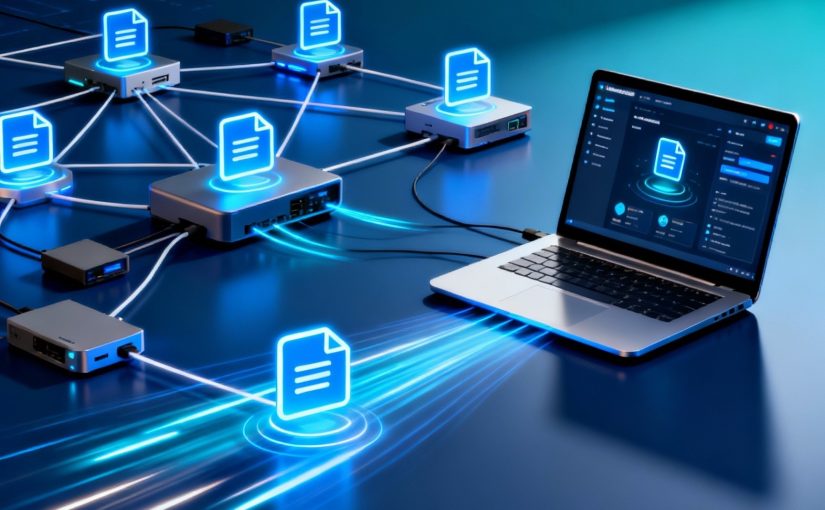
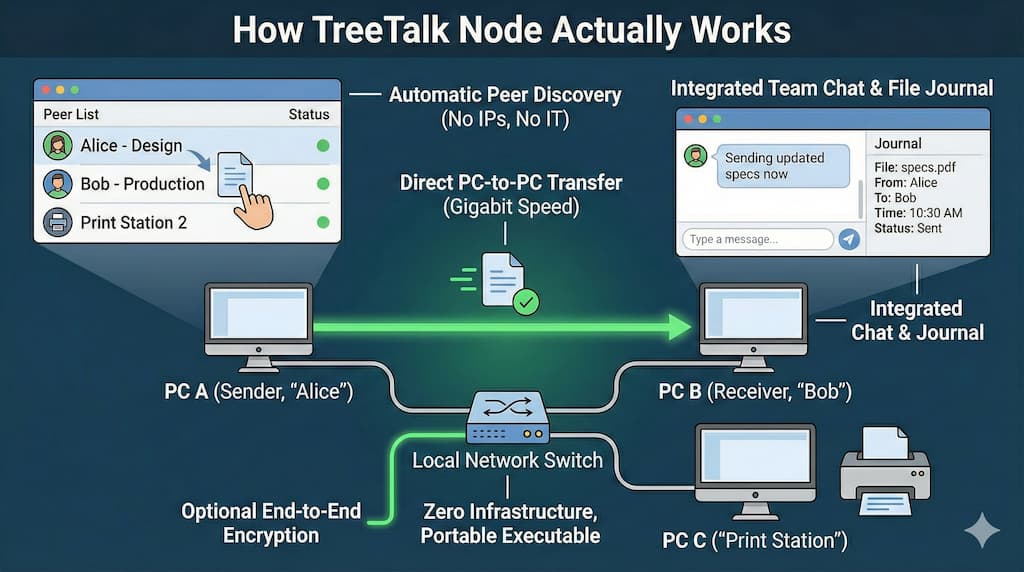
• Automatic peer discovery means the app finds other TreeTalk Node instances across your LAN, Wi-Fi, or VPN within seconds. No IP address configuration, no network mapping, no IT tickets. Just human-readable nicknames: “Alice – Design”, “Bob – Production”, “Print Station 2”. • Direct PC-to-PC transfers use the full capacity of your local network — typically 100 Mbps to 10 Gbps depending on infrastructure. A 2GB video file that would take 15 minutes via cloud upload/download moves in under 30 seconds on a gigabit LAN. • Integrated team chat sits alongside the peer list. Quick coordination (“Sending updated specs now”) without switching apps. Group chat for project team, private messages for one-on-one communication. • File journal logs every sent and received file with timestamp, sender/receiver, and quick access buttons. Opens the file or containing folder instantly. Critical for compliance, auditing, and just remembering “where did that report go?” • Optional end-to-end encryption for environments where regulatory requirements or shared infrastructure demand it. For small offices where simplicity matters more, unencrypted mode removes complexity (and works faster). • Zero infrastructure requirements — no dedicated servers, no NAS, no cloud subscriptions. Works on existing network hardware you already have. • Portable executable means no installation, no admin rights needed, no IT deployment headaches. Copy the .exe to a USB drive, distribute via email, or drop it in a shared folder. Users just double-click and they’re connected. • Windows 7 SP1 through Windows 11 support matters more than you’d think. Manufacturing plants, logistics hubs, point-of-sale terminals, warehouse management systems — the real world runs on mixed fleets where “just upgrade everything” isn’t an option. Watch how it works in practice: Demo Video
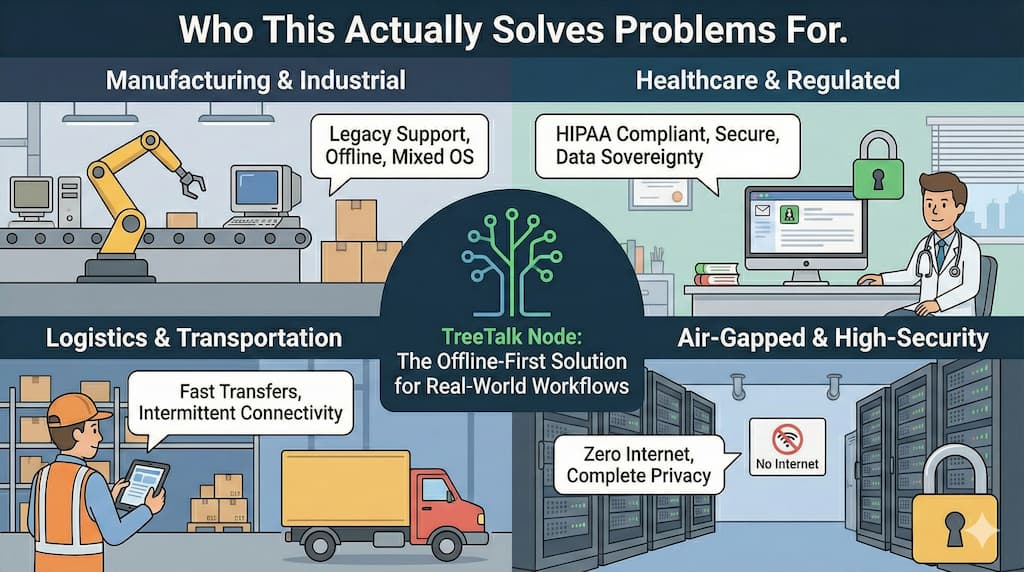
Who This Actually Solves Problems For
TreeTalk Node Private Local Network File Sharing Use Cases
Creative & Development Teams
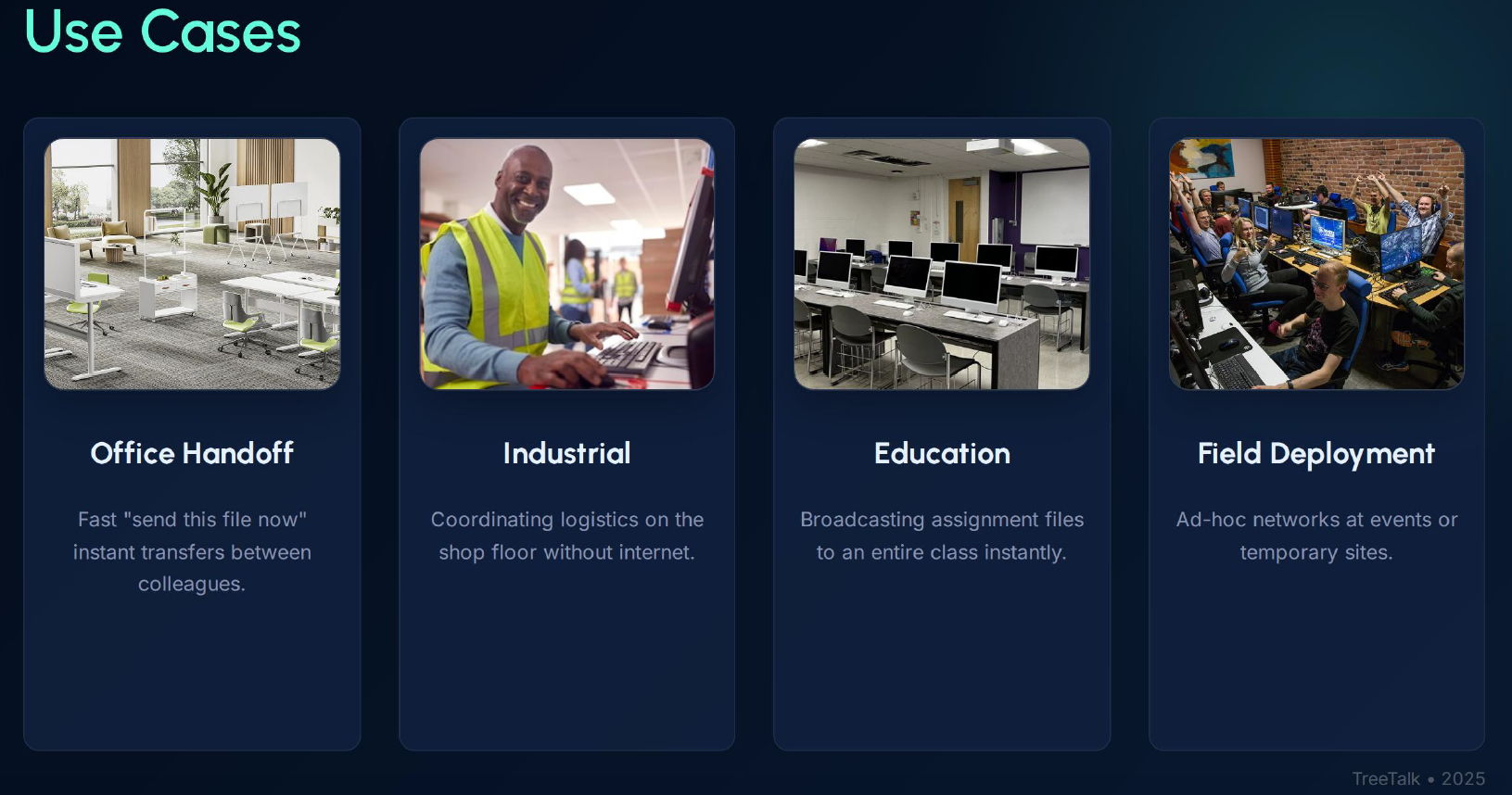
Workstations exchanging large design assets, source builds, project archives, media exports, and test datasets. Mixed environments (Windows/macOS/Linux), shared WiFi and wired LAN, VPN links between offices or remote teammates, and workflows that can’t wait for cloud sync or upload limits. TreeTalk Node fits the real pipeline: fast peer-to-peer transfers, no cloud dependency, works across VLANs with proper routing (or over VPN as a LAN), and runs on everyday hardware without changing how your team works.
Manufacturing & Industrial Operations
Shop floor computers exchanging production schedules, quality control reports, machine configurations. Often older Windows installations, segmented networks for security, unreliable or non-existent Internet connectivity. TreeTalk Node handles the messy reality: no cloud dependency, works across VLANs with proper routing, runs on decade-old hardware.
Logistics & Transportation
Dispatch centers sending route manifests and delivery updates to driver terminals. Warehouse systems exchanging inventory reports. Field offices with temporary network setups. Fast transfers of time-sensitive documents without relying on external connectivity.
TreeTalk Node: Faster Ways to Send Large Files
Healthcare & Regulated Environments
Medical offices, labs, clinics where HIPAA compliance makes cloud tools risky and expensive. Patient data, imaging files, lab results staying strictly within the local network perimeter. Optional encryption plus audit logs for regulatory documentation.
Education & Training
Computer labs where teachers need to distribute assignments to 30 student machines simultaneously, or collect completed work back. No student accounts to provision, no cloud storage quotas to manage, no Internet bandwidth bottlenecks during class.
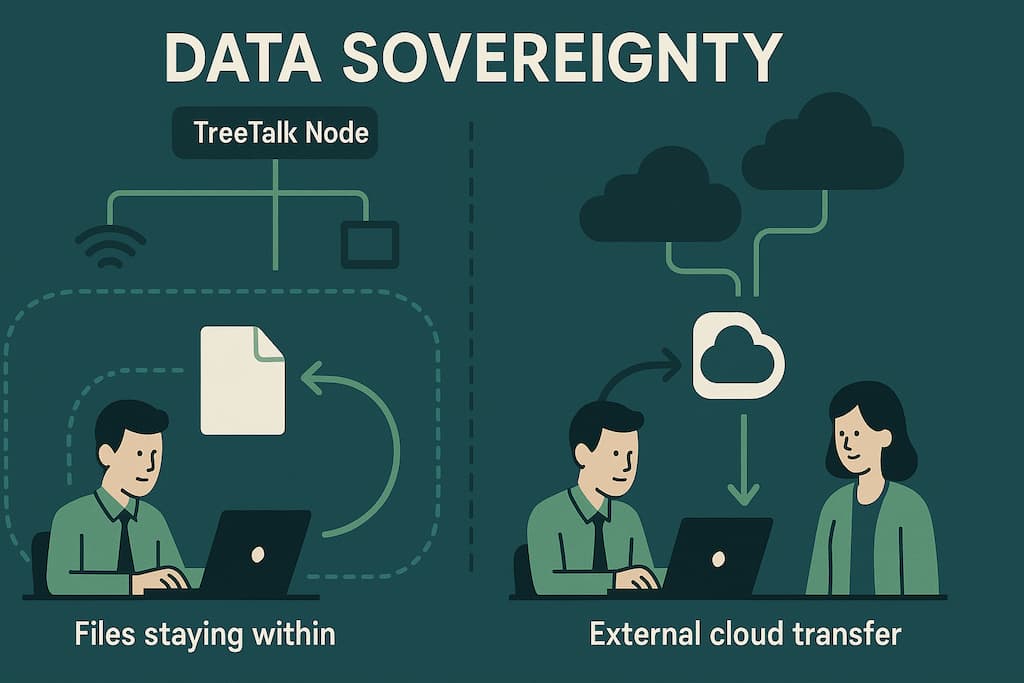
TreeTalk Node Private Local Network File Sharing Data Sovereignty
The Data Sovereignty Advantage
Here’s what doesn’t happen with TreeTalk Node:
Your files don’t pass through third-party servers
No company in another jurisdiction can access your data
No metadata harvesting for analytics or advertising
No surprise terms-of-service changes affecting your workflow
No “we’re shutting down this feature” announcements
For enterprises navigating GDPR, CCPA, industry-specific regulations, or simply internal security policies, this matters. The compliance story is simple: files never leave the network perimeter you control. For investors, this positions TreeTalk Node in the growing market for data sovereignty solutions — businesses actively seeking alternatives to surveillance capitalism business models.
TreeTalk Node – P2P Local-First Chat & File Transfer messenger
What Happens Next
We’re refining TreeTalk Node based on real-world usage in our beta program. We’re especially interested in feedback from:
IT managers deploying in mixed or restricted environments
Operations teams in manufacturing, logistics, or field services
Compliance officers evaluating data residency solutions
Anyone tired of using cloud tools for purely local file transfers
Take our 60-second survey and get early beta access + two months of premium features free:https://tally.so/r/WOOgRJ
The questions we’re most curious about:
What makes file sharing convenient for your specific workflow?
What slows you down most with current tools?
Which features matter most in your environment?
Frequently Asked Questions
1 How to Share Large Files on a Local Network (LAN) or Wi-Fi Network
For transferring large files from hundreds of megabytes to multiple gigabytes (like CAD files, Full HD videos, BlueRay movies or 4K Ultra High Definition content), TreeTalk Node provides the most convenient solution.
Just drag and drop files onto a recipient’s nickname or group chat, or click the “Send File” button. Files transfer directly between computers without touching the internet, making it much faster and more secure than cloud storage — ideal for critical infrastructure and air-gapped networks.
2 How to Transfer Large Files Over the Internet
For transferring large files (hundreds of megabytes to several gigabytes) over the internet, combine TreeTalk Node with a VPN service.
VPN solutions like OpenVPN or SoftEther create secure encrypted connections between devices. TreeTalk Node recognizes this VPN tunnel as a local network and automatically discovers other devices as if they were on the same LAN.
Simply drag and drop files to the recipient or use the “Send File” button. Files are delivered peer-to-peer without cloud services or online storage, ensuring faster speeds and better security.
3 Do I need the Internet or a server to use TreeTalk Node?
No. TreeTalk Node operates entirely within your local network.
Internet access, cloud accounts, and central servers are not required.
Everything—file transfers and messages—remains within your LAN, WiFi, WiFi Halow, or VPN environment, delivering superior privacy, speed, and reliability even in offline or isolated network scenarios.
4 Will TreeTalk Node work on older Windows systems like Windows 7?
Yes. TreeTalk Node is compatible with Windows 7 SP1 through Windows 11.
It’s specifically designed for mixed-age environments where legacy and modern systems work side-by-side—perfect for offices, manufacturing facilities, educational institutions, and home networks with varied hardware configurations.
5 Is TreeTalk Node safe to use for sensitive files?
Yes, completely safe.
TreeTalk Node confines all transfers to your internal network and provides optional end-to-end encryption when extra security is needed.
Your files never leave your network perimeter, no external servers are involved, and you maintain complete control over your data at all times.
6 Do I need to install anything or configure networks?
No installation or configuration necessary.
TreeTalk Node runs as a portable executable:
Download it to your devices,
Double-click to launch,
Watch it automatically find peers on your network.
No driver installation, no firewall modifications, no IT deployment complexity—it simply works out of the box.
7 How fast is file transfer in TreeTalk Node?
Transfers leverage the full bandwidth of your LAN, WiFi, or VPN connection, eliminating the bottlenecks created by cloud services and protocol overhead.
Files move peer-to-peer between computers at native network speeds—consistently outperforming email attachments, messaging apps, SMB shares, and USB drives, particularly when moving large files.
TreeTalk builds communication infrastructure for environments where privacy, security, and independence matter. TreeTalk Node is our answer to the question: “Why is sending a file across the room harder than sending it around the world?”
Exciting update!
Based on valuable input from e-commerce vendors, the Credenza user interface has been enhanced with additional features to streamline productivity and user experience. It now seamlessly integrates multi-channel orders, and crucially, Credenza helps sellers adhere to stringent regulations on personal data protection, minimizing the risk of data breaches and devastating penalties.
In today’s technology-driven world, databases play a crucial role in storing and managing vast amounts of data. However, not all databases are created equal when it comes to performance.
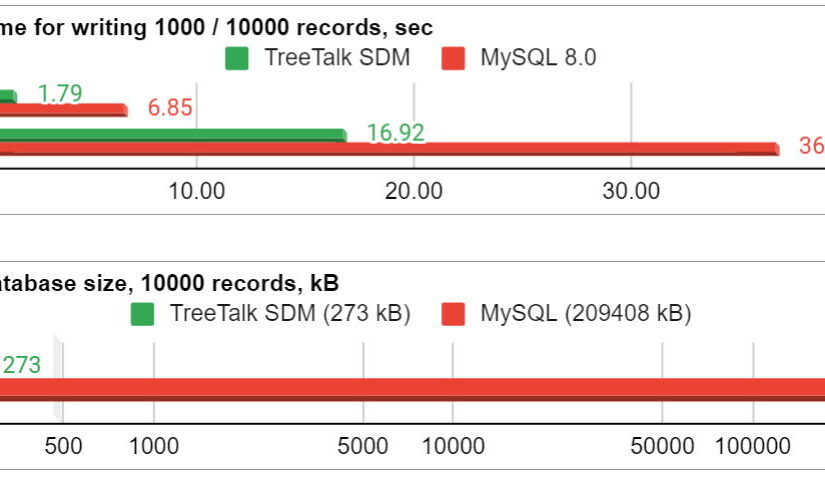
Our new Credenza project requires a really reliable, super fast and economical big data storage system, as it is planned to store the transaction metadata of millions (if not billions) of e-commerce users. The use of conventional relational databases in this case obviously leads to a number of problems, and the use of a RAM cache (like Redis) is impossible due to really huge amounts of data. That is why we decided to develop a special optimized data model and an engine for working with it – TreeTalk Shaped Data Modeling (SDM) Technology.
Credenza is a crowdsourcing data analytics and fraud prevention CRM platform where online sellers may store, share and get depersonalized customer data.
Our main goal is to make it easy for every eCommerce seller to verify the buyer and build the pre-sale interaction correctly.
This will reduce the losses of online stores from fraudulent buyers, the unproductive transportation of returns, and consequently, CO2 emissions. Finally, honest buyers will be rewarded by reducing prices.
Credenza è una piattaforma CRM di analisi dei dati di crowdsourcing e prevenzione delle frodi, in cui i venditori online possono archiviare, condividere e ottenere dati dei clienti spersonalizzati.
Il nostro obiettivo principale è rendere facile per ogni venditore di eCommerce verificare l’acquirente e costruire correttamente un’interazione pre-vendita.
Ciò ridurrà le perdite dei negozi online dovute ad acquirenti fraudolenti, il trasporto improduttivo dei resi e, di conseguenza, le emissioni di CO2. Infine, gli acquirenti onesti saranno premiati con una politica di prezzi ridotti.
Abbiamo utilizzato tutti i software disponibili per comunicare tra noi, dai popolari Skype, Viber e WhatsApp, Discord e Slack, agli strumenti Google e Microsoft. Molto presto abbiamo scoperto che le app di messaggistica vocale / di testo esistenti che operano nel paradigma di connessione della sessione erano troppo lente per noi. A volte devi solo dire poche cose importanti al tuo collega o all’intero team, o chiedere qualcosa; per fare questo è necessario aprire l’applicazione, trovare un contatto, attendere la connessione e quindi parlare per un paio di secondi. Non troppo veloce e produttivo, vero?
Pertanto abbiamo iniziato a utilizzare i nostri primi sviluppi per la comunicazione vocale operativa, che implementano i principi della connessione costante e della chiamata vocale istantanea: il programma PC TreeTalk Dispatcher e i prototipi dei comunicatori vocali TreeTalk Intercom e Universal Communicator. Di conseguenza tutti i nostri colleghi, indipendentemente dalla loro posizione, sono stati in grado di comunicare sempre tra loro in tempo reale. Questo tipo di software viene generalmente utilizzato per la comunicazione tra spedizionieri e cabine ascensore, robot di consegna o dispositivi IoT. Sebbene servisse a uno scopo, era un po’ strano usarlo per comunicare tra persone nel nostro contesto.
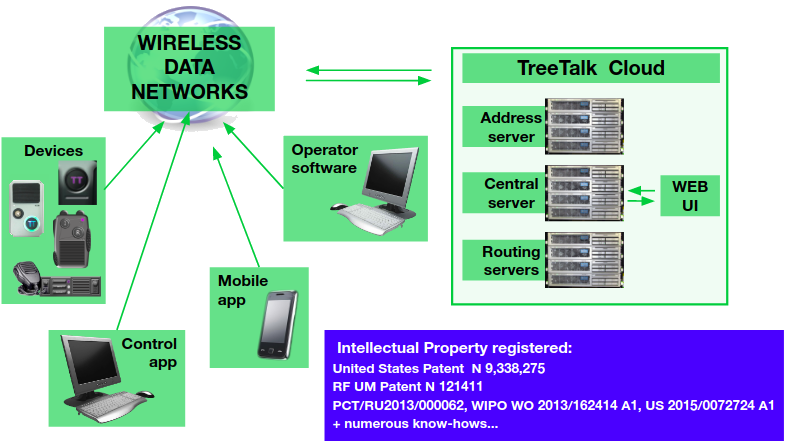
Fig. 1. Piattaforma cloud universale TreeTalk
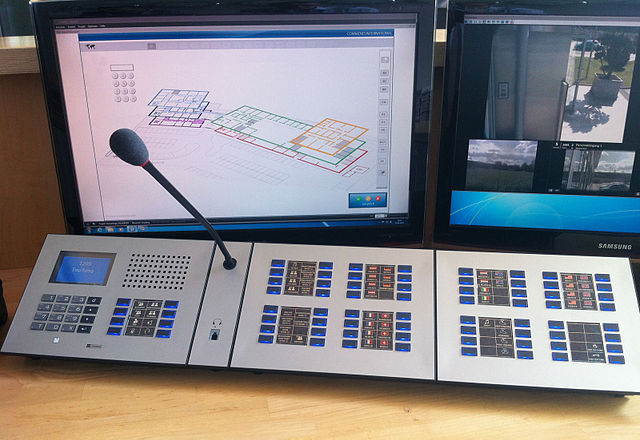
Dunque, utilizzando la stessa piattaforma universale TreeTalk Voice Cloud * (Fig. 1), abbiamo sviluppato TreeTalk Selector, un software progettato per la comunicazione tra esseri umani. Abbiamo preso in prestito il nome del programma dai commutatori antidiluviani con un microfono e molti pulsanti che, tuttavia, hanno svolto perfettamente il loro compito in quel momento (Fig.2).
Fig. 2. Consolle di controllo interfono vecchio stile
Diversi mesi di utilizzo del software hanno dimostrato la sua efficacia e convenienza, e hanno anche evidenziato aree di ulteriore sviluppo. Ora siamo pronti per presentare questo pratico strumento al grande pubblico.
TreeTalk Selector: cos’è e come funziona.
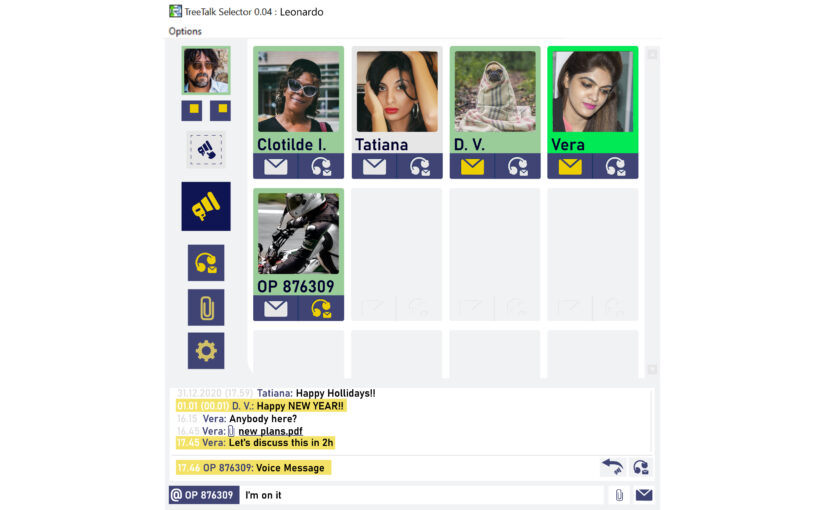
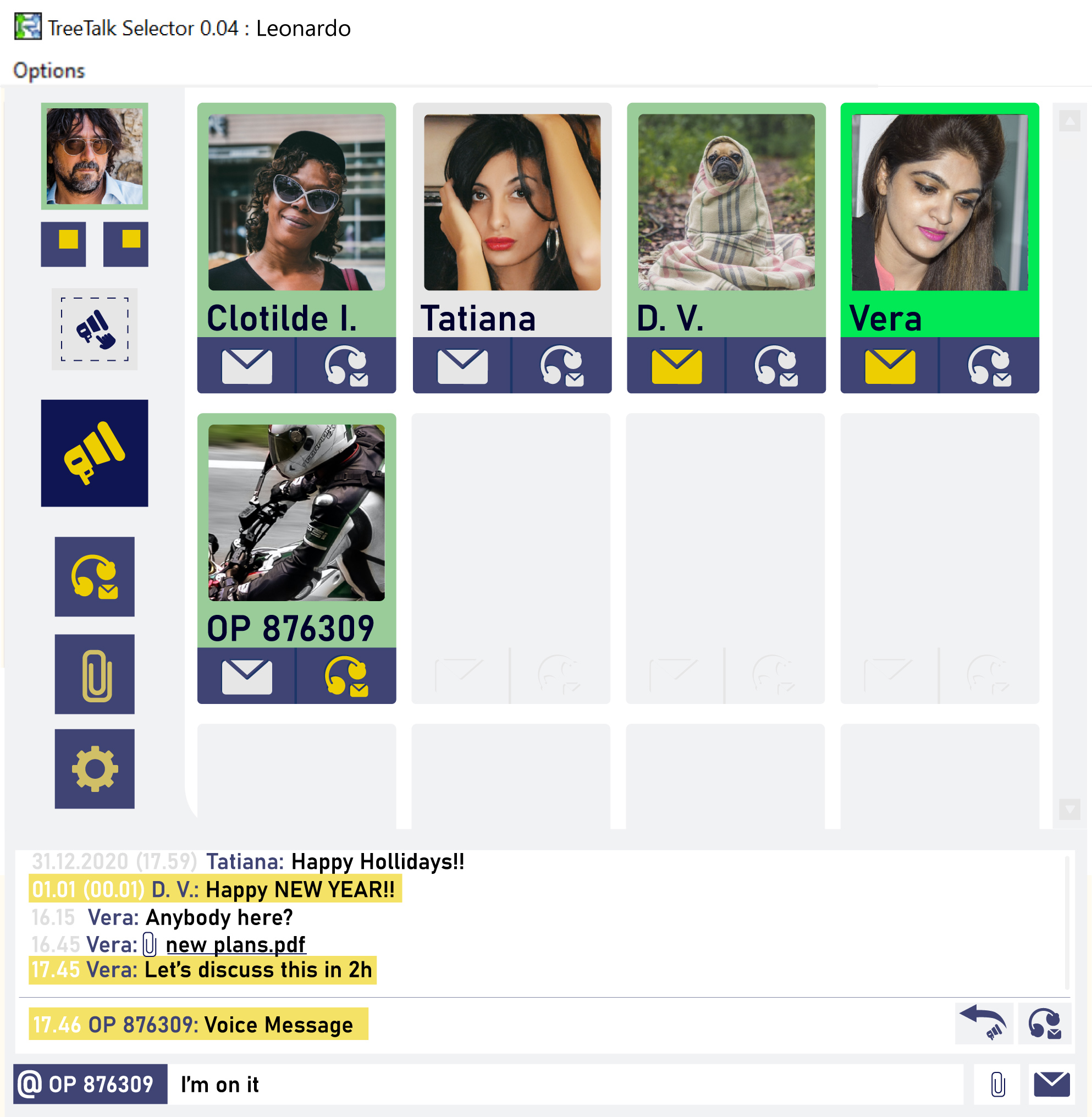
Installare l’applicazione TreeTalk Selector su un personal computer ti consente di essere in costante connessione con tutti: puoi comunicare con qualsiasi dipendente, collega o membro del team in tempo reale utilizzando la comunicazione vocale istantanea, i messaggi di testo e il trasferimento di file. Inoltre è possibile comunicare contemporaneamente con l’intero team utilizzando una chiamata comune (Public Address) altrettanto facilmente (Fig. 3).
Fig. 3. Interfaccia principale del software TreeTalk Selector
TreeTalk Selector: principali vantaggi.
+ Il concetto di connessione permanente consente a qualsiasi membro del gruppo di parlare con qualsiasi altro collega istantaneamente (chiamata selettiva) con la semplice pressione di un pulsante.
+ La trasmissione (broadcasting) è utile per i membri del gruppo per discutere questioni generali e per annunci.
+ Sono disponibili messaggi di testo (chat) e scambio di file insieme all’invio a un singolo utente o all’intero gruppo.
+ Un’interfaccia semplice e comoda consente di utilizzare la maggior parte delle funzioni da un’unica finestra premendo uno o due pulsanti, visualizzando il quadro completo e la cronologia della comunicazione.
+ Gli avvisi visivi e acustici ti ricordano una chiamata persa (senza risposta).
+ I file e i messaggi di testo ricevuti vengono automaticamente organizzati e archiviati sul computer in cartelle separate sotto il nome del mittente (Fig. 4).
+ Il protocollo TreeTalk è molto modesto e poco impegnativo per le reti di dati. L’app può essere utilizzata su reti private virtuali congestionate (VPN) e reti mobili wireless, a partire dalla più lenta seconda generazione (GPRS / EDGE) **.
+ L’applicazione è compatibile con altri programmi e dispositivi TreeTalk. Il canale virtuale può includere, ad esempio, un comunicatore per auto / palmare, un citofono o un pannello di comunicazione in un magazzino, laboratorio o negozio.
+ D’ora in poi il termine “durata massima della sessione” e altre restrizioni appartengono al passato. Con questa app la comunicazione in tempo reale è disponibile 24 ore su 24, 7 giorni su 7.
Fig. 4. Finestra aperta del contatto selezionato nel programma TreeTalk Selector
TreeTalk Selector: sicurezza.
In passato sviluppavamo i nostri prodotti principalmente per i professionisti, quindi la privacy e la sicurezza delle comunicazioni sono la nostra priorità assoluta.
+ Non memorizziamo i tuoi dati personali, file, messaggi vocali e di testo sui nostri server. Tutte le informazioni sono memorizzate solo sui tuoi dispositivi e puoi eliminarle a tua discrezione.
+ Tutte le informazioni trasmesse sono protette da una sicura crittografia end-to-end ***. Solo i membri del gruppo dispongono della chiave di crittografia. È separata per ogni gruppo e puoi cambiarla tutte le volte che vuoi. Pertanto è estremamente difficile intercettare i dati o spiare i messaggi. Anche se hai perso un dispositivo con un programma in esecuzione, è sufficiente cambiare la chiave di cifratura e continuare a lavorare, anche senza attendere che l’amministratore blocchi completamente l’applicazione (dispositivo) compromessa.
+ Protezione contro l’accesso non autorizzato al gruppo (canale virtuale). Solo l’amministratore ha accesso al pannello di controllo web ed è in grado di aggiungere un utente a un particolare gruppo. Gli utenti non hanno la possibilità di “invitare” partecipanti esterni, anche se dispongono già di un’applicazione e di un login per il sistema.
+ Protezione contro “i cloni”. È impossibile che due utenti con lo stesso login (anche per applicazioni clonate) lavorino simultaneamente nel sistema (anche in gruppi diversi).
TreeTalk Selector: funzionalità e vantaggi aggiuntivi.
Come puoi vedere, TreeTalk Selector è la soluzione perfetta per lavoratori da remoto, outsourcer e smart working in generale.
A partire dalle funzionalità di base, aggiungeremo gradualmente funzioni sempre più utili che ampliano il campo di utilizzo del nostro software. Di seguito vengono presentate le opportunità disponibili adesso o nelle fasi finali dello sviluppo.
Fig. 5. Interfaccia del software TreeTalk Selector in modalità presentazione (istruzione)
Utilizzo di TreeTalk Selector per l’istruzione.
L’urgente passaggio alla didattica a distanza è ricaduto inaspettatamente sulle istituzioni. A tale scopo, diverse scuole e università hanno iniziato a creare soluzioni alternative confuse, utilizzando una varietà di strumenti esistenti. Nella migliore delle ipotesi, quegli strumenti erano piattaforme specializzate gratuite per l’apprendimento online, a volte invece utilizzavano software di messaggistica o videoconferenza, come Google Meet o Zoom. In molti casi però l’uso di questi strumenti non è molto conveniente e molte funzionalità sono ridondanti.
Ad esempio, nella maggior parte dei casi il video che consuma risorse non è necessario. Un docente di solito non è tenuto a vedere i volti di tutti gli studenti durante una lezione e gli studenti non devono guardare il docente tutto il tempo. A volte la lettura monotona, senza un cambio di frame, è solo stancante. Riteniamo che la funzionalità di base del programma per computer TreeTalk Selector sia sufficiente per la maggior parte delle attività di formazione:
+ L’app stessa è un’aula virtuale chiusa. Nella versione standard, puoi creare una classe online fino a 64 persone. Questo numero può essere aumentato nelle versioni avanzate.
+ Qualsiasi immagine o foto scansionata, anche la foto di una lavagna, può diventare un supporto didattico nella modalità di dimostrazione dell’immagine.
+ Le immagini non sono completamente statiche. Puoi inviare nuove illustrazioni durante la lezione. Inoltre la funzione “hovering pointer” consente al docente di mostrare al pubblico in tempo reale il puntatore sull’immagine che illustra le sue parole (Fig. 5).
+ La funzione vocale ti consente di interrogare studenti specifici in modalità conversazione privata o di trasmettere a tutto il pubblico.
+ La durata della sessione è illimitata.
Considerando che la necessità di apprendimento a distanza è sempre esistita e sempre lo sarà, stiamo monitorando da vicino tutte le tendenze in questo settore e aggiungeremo funzionalità aggiuntive.
Utilizzo di TreeTalk Selector per riunioni e presentazioni online
L’applicazione è un ambiente pronto per riunioni e presentazioni online. Puoi fare una comunicazione generale, tenere una riunione con il tuo team e condividere informazioni urgenti in qualsiasi momento. Non è necessario installare un software speciale, distribuire collegamenti tramite e-mail o qualsiasi altra configurazione ridondante.
Le capacità disponibili sono abbastanza sufficienti per le presentazioni. La dimostrazione dinamica delle diapositive (grafica) man mano che vengono ricevute, la comunicazione vocale di gruppo e la chat testuale (sia di gruppo che privata) consentono di trasmettere tutte le informazioni necessarie al pubblico.
Conclusione
Siamo fiduciosi che TreeTalk Selector verrà utilizzato da molti team in un’ampia gamma di settori. Non importa dove ti trovi: in diverse città, paesi o in uffici vicini. Un’interfaccia vocale in tempo reale che imita naturalmente la comunicazione in uno spazio comune può aiutare i team di tutte le dimensioni a digitalizzare senza problemi i flussi di lavoro, ridurre i costi e consentire alle persone di interagire più velocemente, più facilmente e in modo più efficiente.
Il nostro prodotto è attualmente in fase beta privata e stiamo assumendo nuovi utenti di diverse categorie per migliorare la funzionalità. Se sei disposto a partecipare al beta testing e poi interessato a utilizzare il nostro software per lo smart working / smart mobility, scrivici un’e-mail.
* La tecnologia è appositamente progettata per fornire comunicazioni vocali continue ed è protetta dal brevetto USA 9.338.275.
** Know-how di Tree Talk LLC.
*** La funzionalità può essere disabilitata o limitata nei paesi in cui si applicano le leggi sulla crittografia.
We used all available software to communicate with each other, from the popular Skype, Viber, Discord, Slack and WhatsApp to Google and Microsoft tools. Very soon, we found that existing text/voice messenger apps operating in the session connection paradigm were too slow for us. Sometimes you just need to say a few important words to your colleague or to the whole team, or ask something; for that, you need to open the application, find a contact, wait for the connection, and then talk for a couple of seconds. Not too fast or productive, is it?
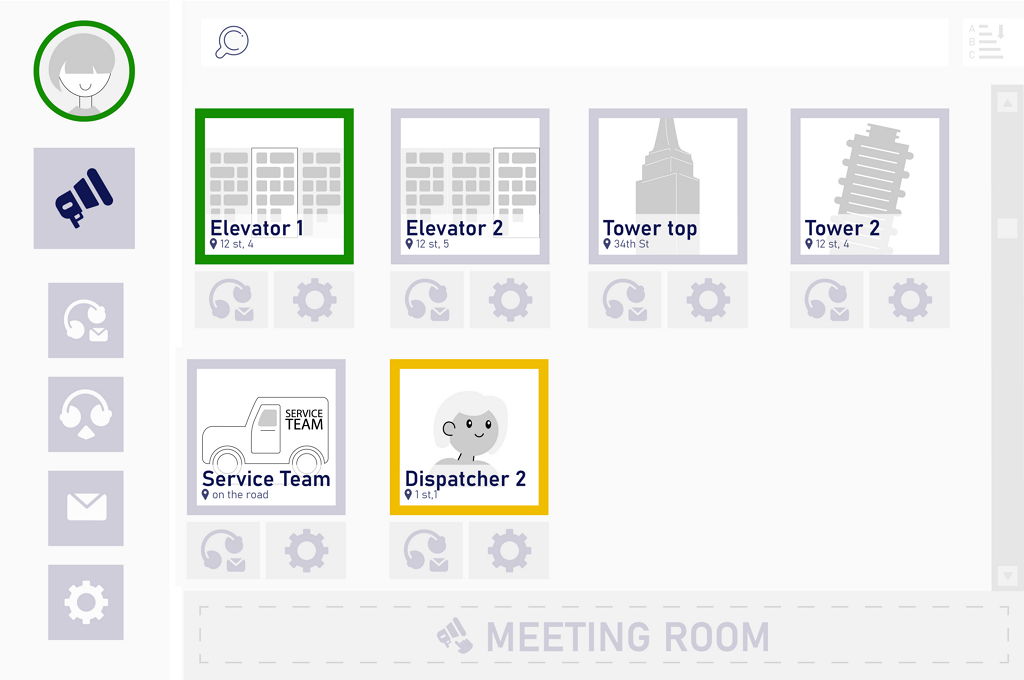
Therefore, we began to use our early developments for operational voice communication, which implement the principles of constant connection and instant voice call: the TreeTalk Dispatcher program and the prototypes of the voice communicators TreeTalk Intercom and Universal Communicator. As a result, all our colleagues, regardless of their location, were able to communicate with each other in real-time. This type of software is typically used for communication between dispatchers and elevator cars, delivery robots, or IOT devices. While it served a purpose, it was a bit strange to use it for communicating between people in our context.
Fig. 1. Universal cloud platform TreeTalk
Therefore, using the same universal platform TreeTalk Voice Cloud * (Fig. 1), we developed the TreeTalk Selector – software designed for communication between humans. We borrowed the name of the program from the antediluvian commutators with a microphone and many buttons, which, however, perfectly coped with their task at the time (Fig. 2).
Fig. 2. Old-style Intercom Control Desk
Several months of using the software have proven its effectiveness and convenience and also highlighted areas for further development. Now we are ready to present this handy tool to the general public.
TreeTalk Selector: what it is and how it works.
Installing the TreeTalk Selector application on a personal computer allows you to be in constant connection with everyone: you can communicate with any employee, colleague, or team member in real time using instant voice communication, text messages, and file transfer. Also, you can communicate with the entire team at once using a common call (Public Address), just as easily (Fig. 3).
Fig. 3. Main interface of the TreeTalk Selector software
TreeTalk Selector: main advantages.
+ The concept of permanent connection allows any member of the group to speak to any other colleague instantly (selective call) at the push of a button.
+ Broadcasting (public address) is handy for group members to discuss general issues as well as for announcements.
+ Text messages (chat) and file interchange are available along with addressing an individual user or the entire group.
+ A simple and convenient interface allows you to use most of the functions from a single window by pressing one or two buttons, while seeing the complete picture and chronology of communication.
+ Visual and audible alerts remind you of a missed (unanswered) call.
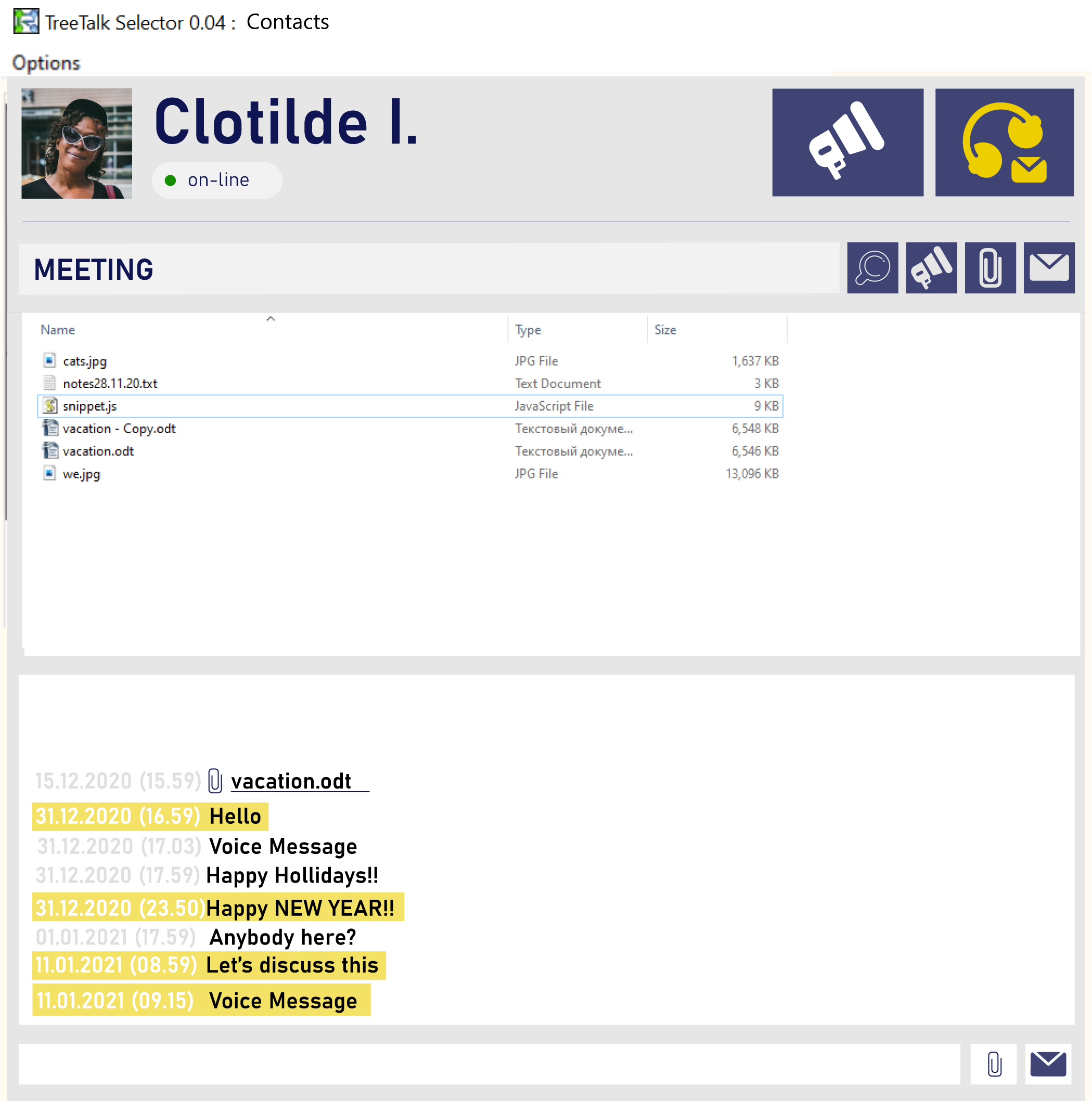
+ Received files and text messages are automatically organized and stored on your computer in separate folders under the sender’s name (Fig. 4).
+ TreeTalk protocol is super modest and undemanding to data networks. The app may be used on congested virtual private networks (VPNs) and wireless mobile networks, starting from the slowest 2nd generation (GPRS / EDGE) **.
+ The application is compatible with other TreeTalk programs and devices. The virtual channel may include, for example, a car / handheld communicator, an intercom or a communication panel in a warehouse, laboratory, or shop.
+ Henceforth the term “maximum session duration” and other restrictions are a thing of the past. With this app, real-time communication is available 24/7.
Fig. 4. Opened window of the selected contact in the TreeTalk Selector program
TreeTalk Selector: safety.
We used to develop our products primarily for professionals, so privacy and communication security is our absolute priority.
+ We do not store your personal data, files, voice and text messages on our servers. All information is stored only on your devices, and you can dispose of it at your discretion.
+ All transmitted information is protected by strong end-to-end encryption ***. Only members of the group have the encryption key. It is separate for each group and you can change it as often as required. Thus, it is extremely difficult to intercept data or eavesdrop on messages. Even if you have lost a device with a running program, it is enough to change the cipher key and continue working, even without waiting for the administrator to completely block the compromised application (device).
+ Protection against unauthorized access to the group (virtual channel). Only the administrator has access to the web control panel and is able to add a user to a particular group. Users do not have the ability to “invite” outside participants, even if they already have an application and a login for the system.
+ Protection against “the clones”. It is impossible for two users with the same login (as well for cloned applications) to work simultaneously in the system (even in different groups).
TreeTalk Selector: additional features and benefits.
As you can see from the above, TreeTalk Selector is the perfect solution for remote workers, outsourcers and smart working in general.
Based on the basic functionality, we will be gradually adding more and more useful functions that expand our software’s field of use. The opportunities that are available now or in the final stages of development are presented below.
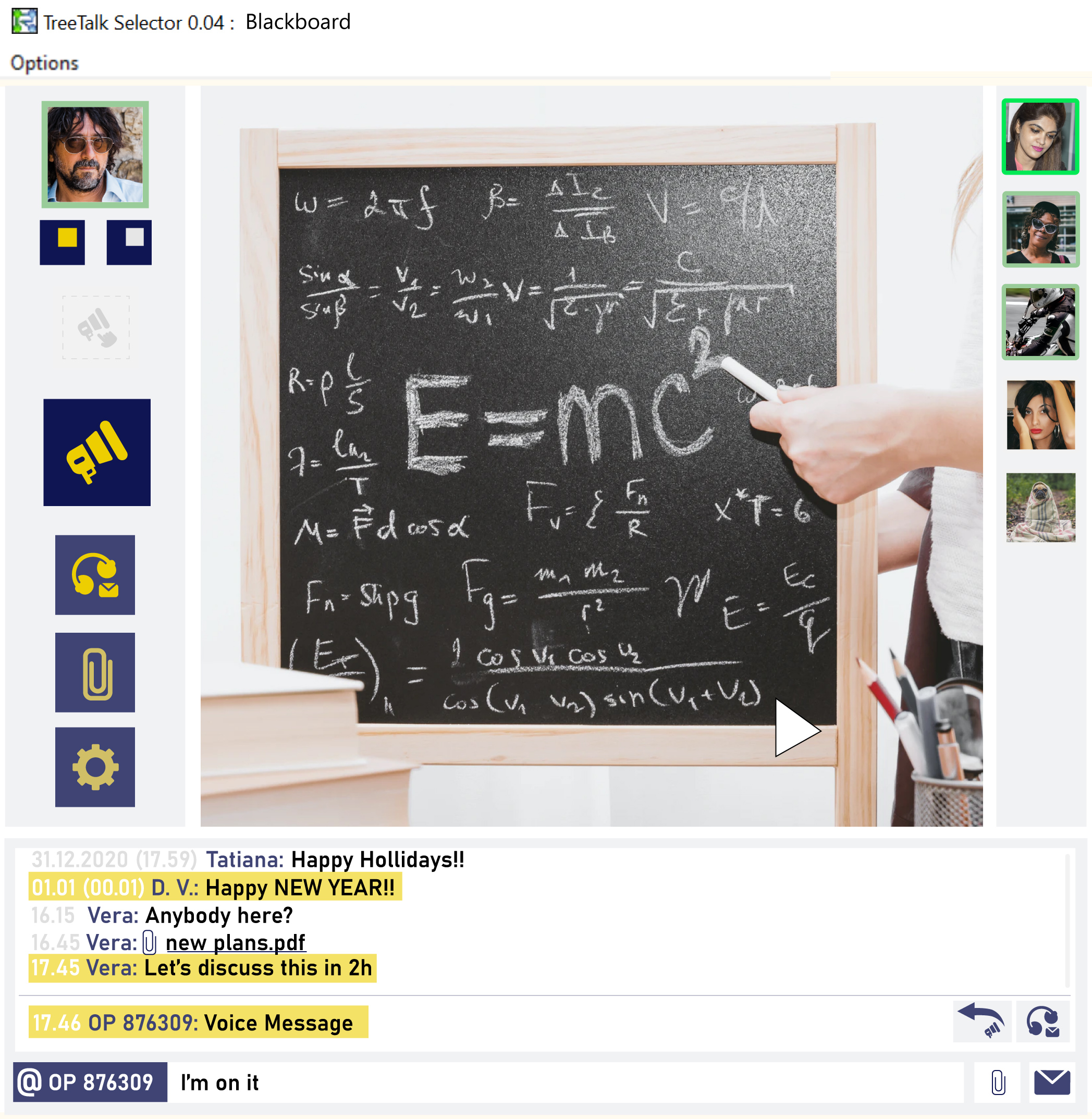
Fig. 5. Interface of the TreeTalk Selector software in presentation (education) mode
Using TreeTalk Selector for education.
The urgent transition to distance learning fell on educational institutions unexpectedly. For this purpose, different schools and universities began to build confusing workarounds using a variety of existing tools. At best, those tools were free specialized platforms for online learning. Sometimes they used messenger or video conferencing software, such as Google Meet or Zoom. However, in many cases, the use of these tools is not very convenient, and many features are redundant.
For example, resource-consuming video translation is unnecessary in most cases. A lecturer is usually not required to see the faces of all students during a lecture, and students do not have to look at the lecturer all the time. Sometimes monotonous reading, without a frame change, is just tiring. We believe that the basic functionality of the TreeTalk Selector computer program is sufficient for most training tasks:
+ The app itself is an enclosed virtual auditorium. In the standard version, you can create a teleclass of up to 64 people. This number can be increased in specialized versions.
+ Any scanned image or photo, even a photo of a familiar blackboard, can become a teaching aid in the image demonstration mode.
+ Images are not completely static. You can send new illustrations during the lecture. Plus, the “hovering pointer” function allows the lecturer to show the audience in real time the place on the image that illustrates their words (Fig. 5).
+ Voice functionality allows you to poll specific students in private conversation mode or broadcast to the entire audience.
+ The duration of the session is unlimited.
Considering the need for distance learning has always existed and always will, we are closely monitoring all the trends in this area and will be adding additional functionality.
Using TreeTalk Selector for online meetings and presentations
The application is a ready-made environment for online meetings and presentations. You can make a general announcement, hold a meeting with your team, and share urgent information at any second. There is no need to install special software, distribute links by email, or any other frustrating setup.
The available capabilities are quite enough for presentations. Dynamic demonstration of slides (graphics) as they are received, group voice communication and text chat (both group and private) allow you to convey all the necessary information to the audience.
Conclusion
We are confident that TreeTalk Selector will be used by many teams across a wide range of industries. It doesn’t matter where you are – in different cities, countries or in neighboring premises. A real-time voice interface, which naturally mimics communication in a common space, can help teams of all sizes to seamlessly digitize workflows, reduce costs, and allow people to interact faster, easier, and more efficiently.
Our product is currently in the private beta stage and we are onboarding new users from different categories to improve the functionality. If you are interested in using our software for smart working / smart mobility, please write us an email.
Il Comunicatore Universale e il pannello PTT sono progettati per conversazioni vocali ininterrotte in tempo reale tra enti remoti, come ascensori e stanze isolate.
Sulla base del prototipo di TreeTalk Intercom, abbiamo sviluppato Universal Communicator. È progettato per conversazioni vocali in tempo reale tra enti remoti, ad esempio:
1) locali separati, negozi o uffici;
2) ascensori e sala controllo;
3) dispositivi mobili (robot di consegna, veicoli senza pilota) e un servizio di supporto o risposta alle emergenze;
4) stanze insonorizzate (ad esempio al botteghino);
5) chioschi self-service e lavanderie a gettoni, bancomat e assistenza clienti (dispatcher);
6) vagoni del treno e conducente.
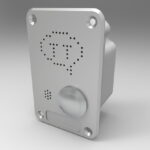
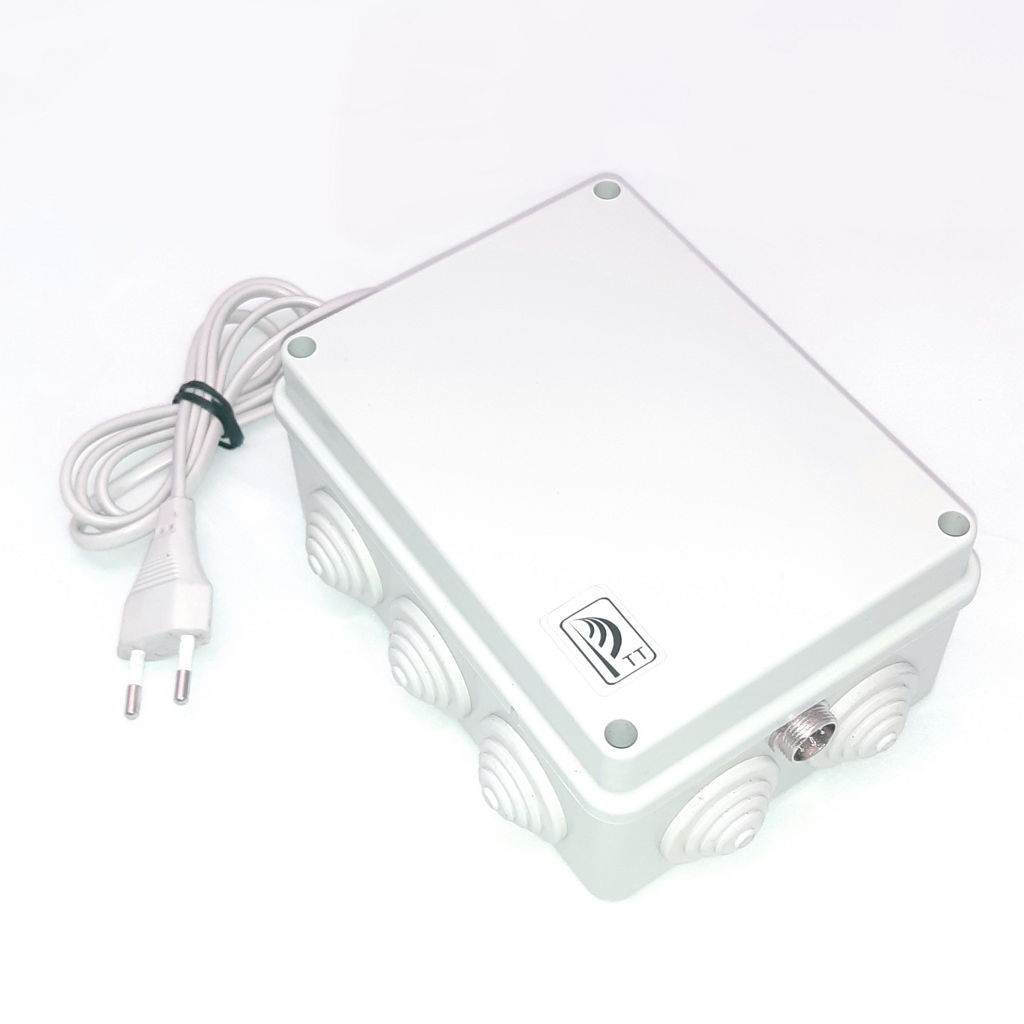
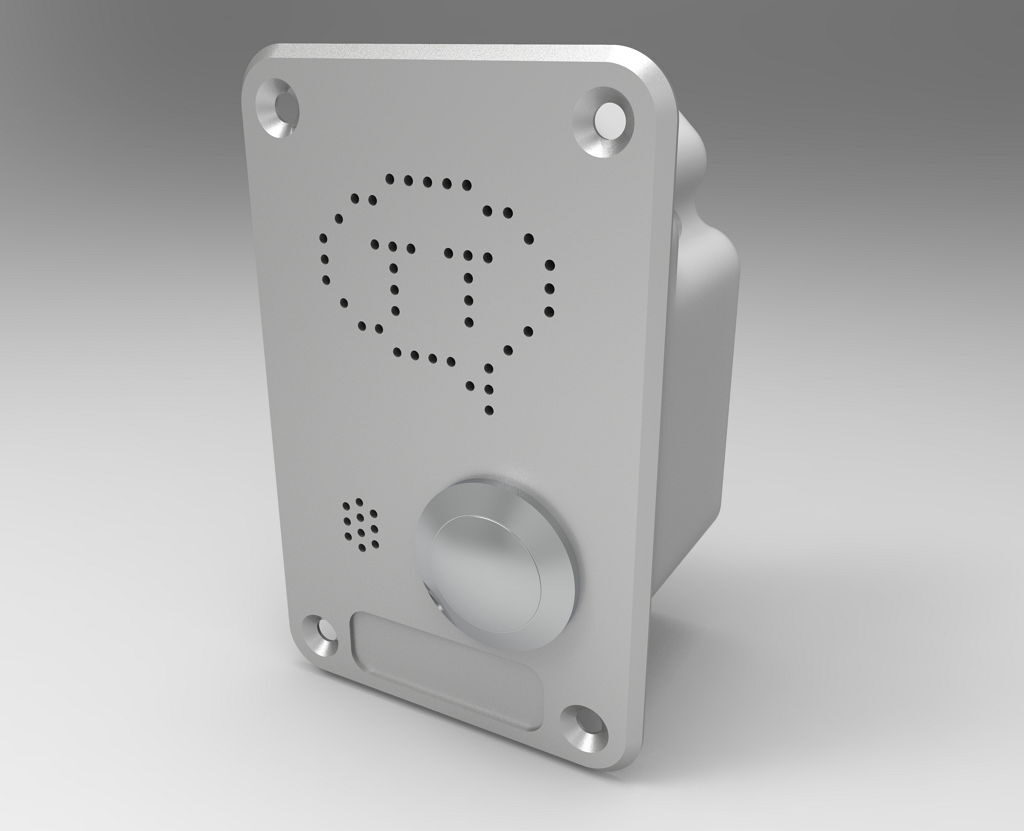
Il comunicatore è costituito da un Universal Communicator Box (UCB), che contiene tutta l’elettronica (Fig.1), e da un pannello miniaturizzato con pulsante Push-To-Talk (PTT Panel, Fig. 2), che può essere integrato, ad esempio, nel muro di una cabina dell’ascensore, nonché in un bancomat o in un chiosco.
Fig.1 Universal Communicator Box (UCB)
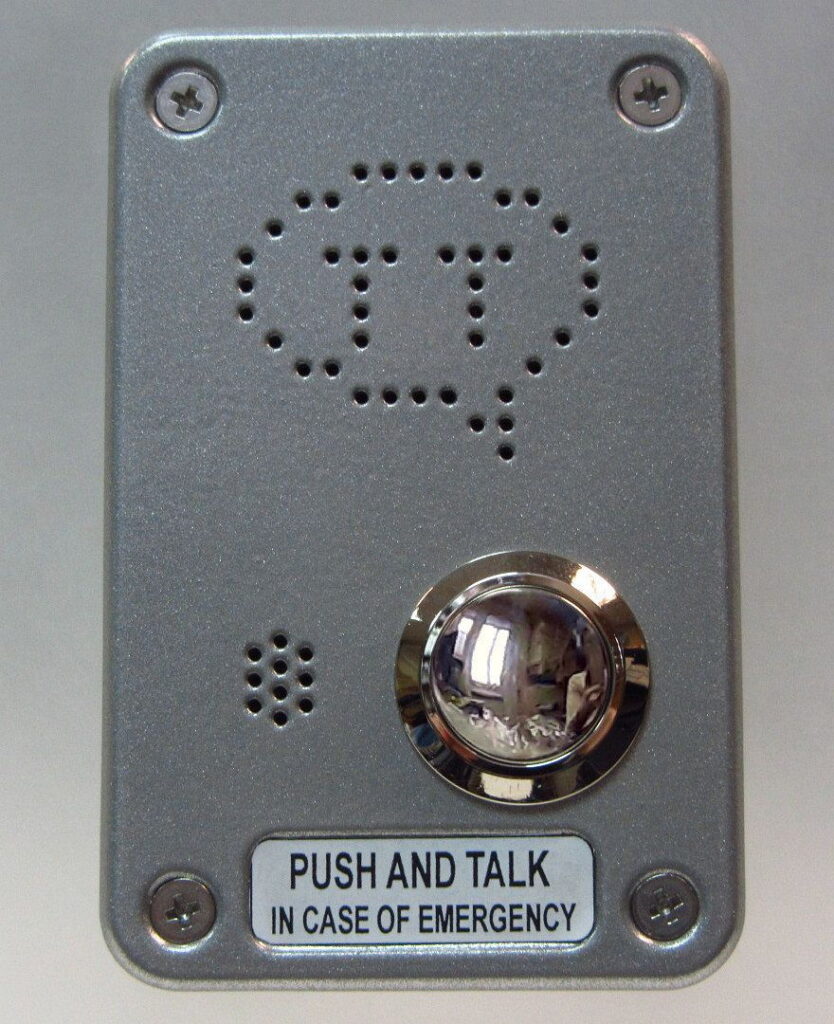
Fig.2 Pannello PTT a parete
I vantaggi di TreeTalk Universal Communicator:
1) Design modulare: solo un pannello frontale, che soddisfa i requisiti per un particolare utilizzo ed è pubblicamente disponibile. Potrebbe essere una struttura metallica resistente agli atti vandalici per strade e ascensori, o un touchpad igienico per luoghi ad alta accessibilità (biglietterie, porte d’ingresso, ospedali), o un inserto decorativo in legno o plastica per veicoli e spazi interni. Ciò significa anche che il circuito elettronico principale è protetto in modo affidabile da polvere, umidità e influenze esterne in una scatola, che può essere nascosta.
2) Il comunicatore non richiede cablaggio: la comunicazione con il dispatcher avviene tramite Wi-Fi e / o una rete cellulare (wireless).
3) La comunicazione vocale è sempre attiva: basta premere un pulsante e parlare; il programma dispatcher ti consente di vedere da dove proviene il segnale e di rispondere immediatamente *.
4) Se occasionalmente i messaggi provengono da più luoghi allo stesso tempo, essi non interferiscono tra loro: il dispatcher li ascolterà in sequenza; inoltre i messaggi possono essere ascoltati una seconda volta **.
5) Utilizzando lo stesso programma l’operatore può comunicare con squadre di riparazioni mobili, portieri, personale di servizio o altro.
6) L’alimentatore di emergenza integrato del comunicatore consente di mantenere la comunicazione per almeno 1-2 ore in caso di interruzione di corrente.
TreeTalk come comunicatore per ascensori.
Per esempio, consideriamo i vantaggi del TreeTalk Universal Communicator quando viene utilizzato come pulsante di emergenza nella cabina dell’ascensore per la comunicazione con il dispatcher.
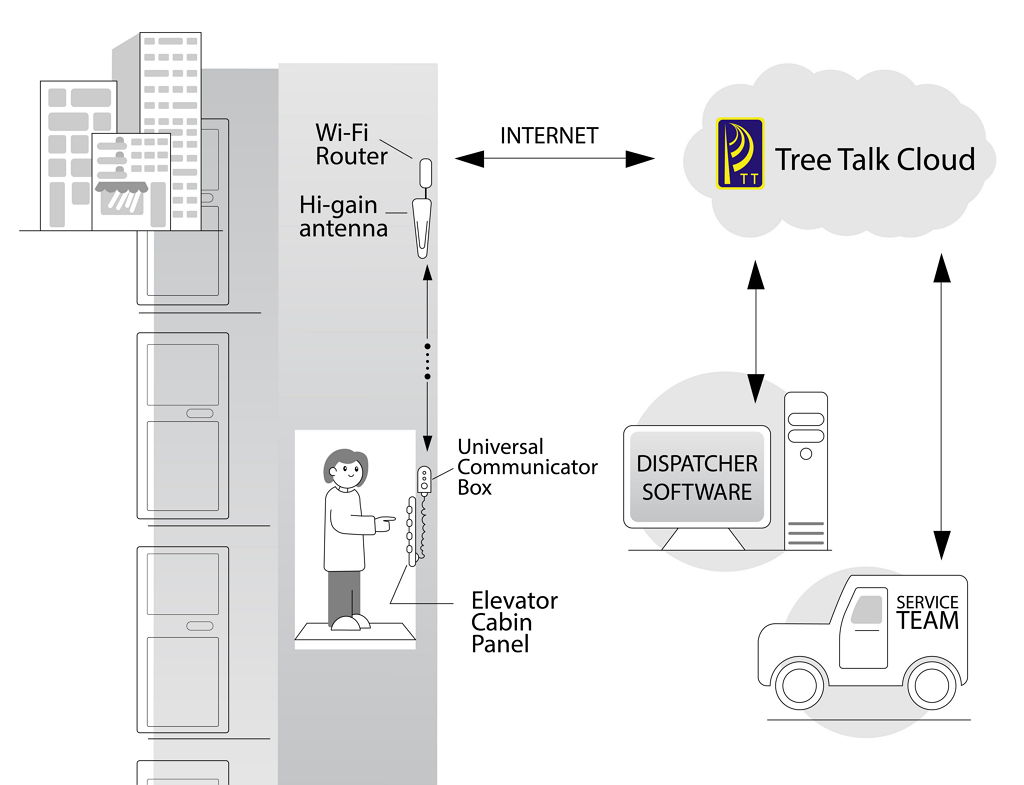
Fig. 3 Sistema di comunicazione Tree Talk Ascensore
Quando si equipaggia una cabina dell’ascensore con un comunicatore TreeTalk, non sono necessari cavi aggiuntivi. Nelle case a più piani costruite negli Anni 50-80 gli ascensori erano dotati di cavi di comunicazione che collegavano la sala di controllo, ma la maggior parte di questi sistemi sono fuori uso o in cattive condizioni; negli edifici più vecchi è ancora più difficile posare una nuova linea. Pertanto, durante l’aggiornamento di tali ascensori il dispositivo di comunicazione wireless TreeTalk consente di risparmiare molto tempo e denaro. È sufficiente fissarlo sul muro della cabina dell’ascensore e collegare l’alimentazione principale (Fig. 3).
Grazie al design modulare è possibile utilizzare il protocollo wireless meno costoso. Si consiglia di utilizzare un router Wi-Fi dedicato con un’antenna direzionale per il vano ascensore. Tuttavia, se è presente una connessione wireless affidabile nell’intero edificio (Wi-Fi, 3G, LTE, 5G …), l’adattatore di rete può essere installato direttamente nell’Universal Communicator Box.
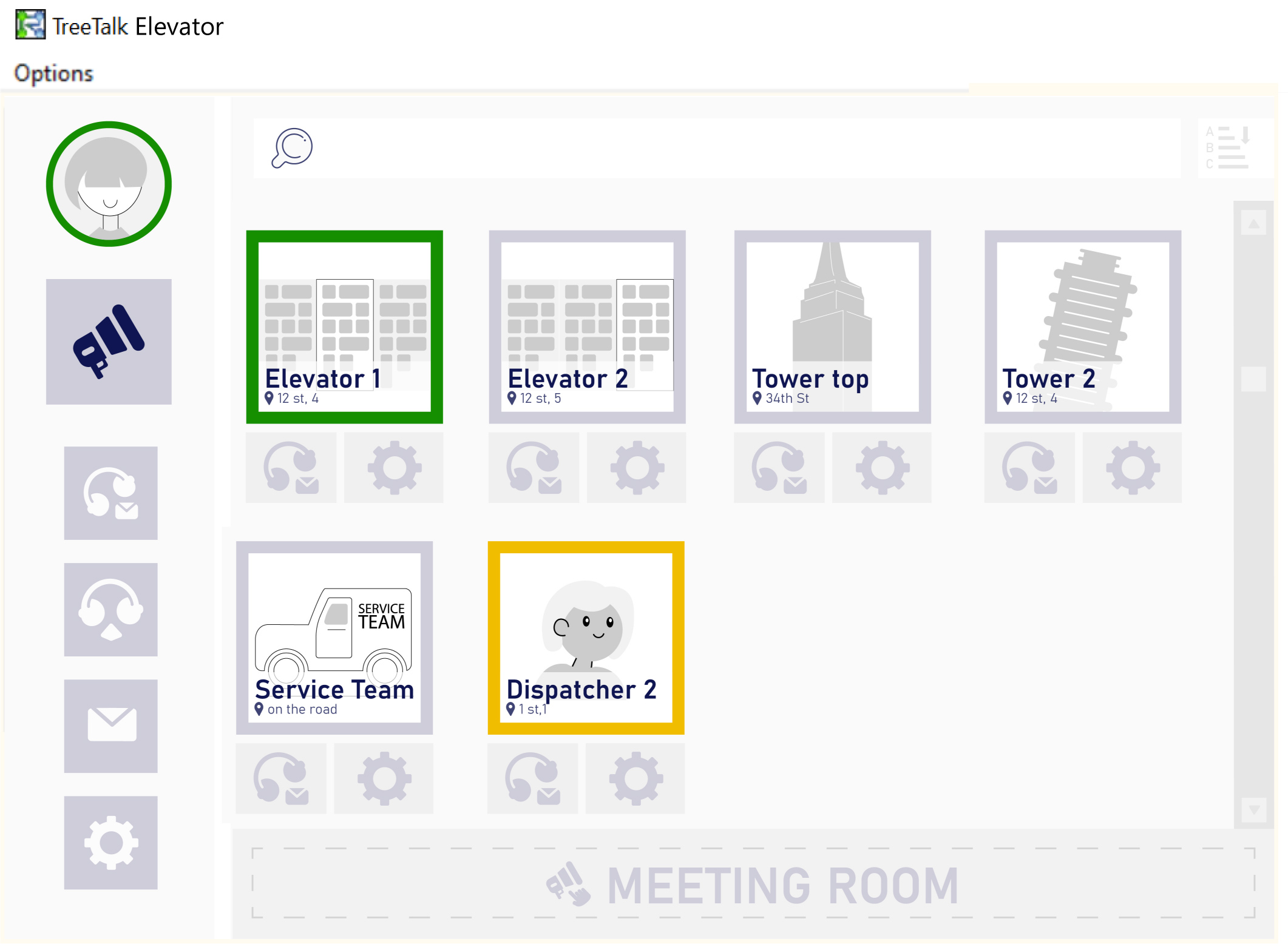
Cambiare la società di servizi, cambiare la posizione del concierge o del posto di sicurezza non rappresenta più un problema: è sufficiente trasferire in una nuova posizione il computer con il programma di distribuzione (TreeTalk Dispatcher o Selector+) e fornire l’accesso alla rete (Fig. 4).
Fig. 4. Software TreeTalk Elevator Dispatcher
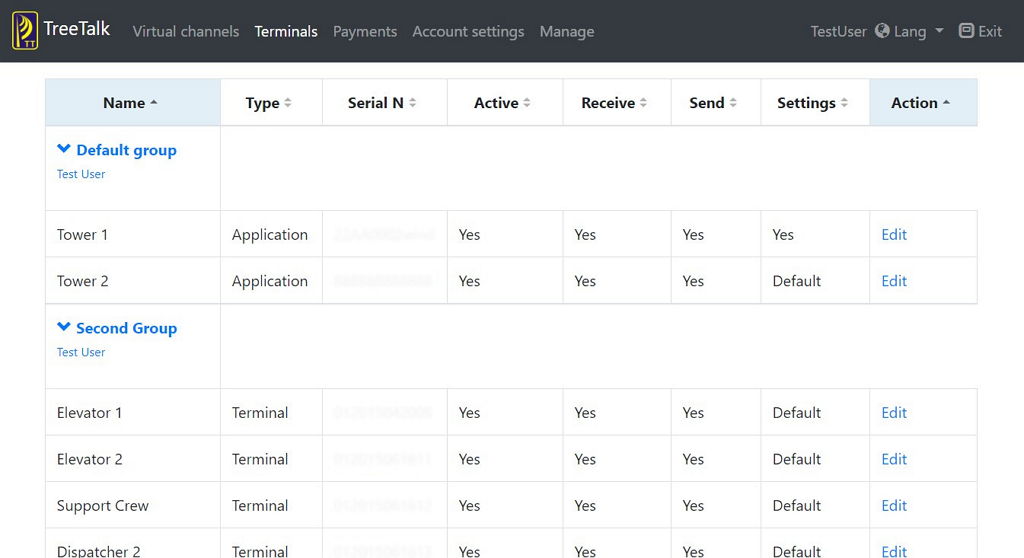
Il costo di manutenzione del sistema TreeTalk è molto inferiore rispetto ai sistemi tradizionali, e inoltre la sostituzione delle apparecchiature in caso di guasto non richiede competenze particolari ed è davvero veloce. Il sistema si configura tramite la comoda interfaccia web (Fig. 5). Un team di supporto TreeTalk disponibile è sempre pronto ad aiutare se qualcosa non è chiaro.
Fig. 5 TreeTalk Interfaccia Web dell’amministratore
Se la pulsantiera standard dell’ascensore è già dotata di pulsante di chiamata, microfono e altoparlante, è sufficiente collegare ad essa l’Universal Communicator Box utilizzando un cavo universale twistato. In questo caso non è nemmeno necessario acquistare un pannello frontale dedicato.
Tutti questi vantaggi rendono evidente la scelta dei comunicatori e del software di TreeTalk, durante l’installazione di nuove apparecchiature o la manutenzione degli ascensori esistenti.
* La tecnologia è appositamente progettata per fornire comunicazioni vocali continue ed è protetta dal brevetto USA 9.338.275.
** Know-how di Tree Talk LLC.
Universal Communicator and PTT panel are designed for unbroken real-time voice conversations between remote objects, like elevators and isolated rooms.
Based on the TreeTalk Intercom prototype, we have developed the Universal Wireless Communicator. It is designed for real-time voice conversations between remote objects, for example:
1) separated rooms, shops, or offices; 2) elevators and control room; 3) mobile objects (delivery robots, unmanned vehicles) and support service or emergency response; 4) soundproofed rooms (for example, at the box office); 5) self-service kiosks and laundromats, ATMs and customer support (dispatcher); 6) train cars and the driver.
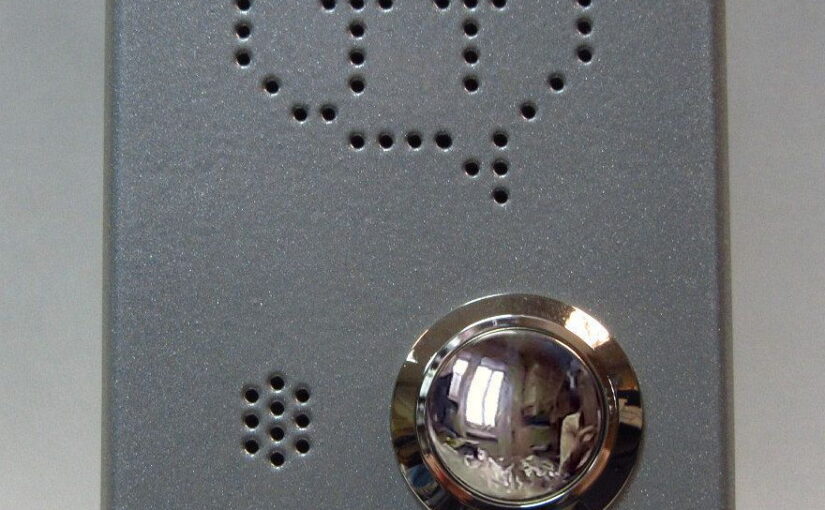
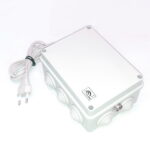
The communicator consists of a Universal Communicator Box (UCB), which contains all the electronics (fig. 1), and a miniature panel with a Push-To-Talk button (PTT Panel, fig. 2), which can be integrated, for example, into the wall of an elevator car, as well as into an ATM or kiosk.
Fig. 1 Universal Communicator Box (UCB)
Fig. 2 Wall PTT panel
The Advantages of TreeTalk Universal Communicator:
1) Modular design: only a front panel, which meets the requirements for a particular use case, is publicly available. That might be a vandal-resistant metal construction for streets and elevators, or a hygienic touch-pad for hi-passability locations (ticket offices, front doors, hospitals), or a wooden or plastic decorative insert for vehicles and interior spaces. This also means that the main electronic circuit is reliably sheltered from dust, moisture and external influences in the box, which can be located covertly. 2) The communicator does not require wiring: communication with the dispatcher is via Wi-Fi and/or a cellular (wireless) network. 3) Voice communication is always on – just push a button and talk; the dispatcher program allows you to see where the signal came from and to respond instantly*. 4) If occasionally messages come from several places at once, they do not interfere with each other: the dispatcher will hear them sequentially; besides, messages can be listened a second time**. 5) Using the same program, the operator can communicate with mobile repair crews, concierges, service personnel and other staff. 6) The built-in emergency power supply of the communicator allows maintaining communication for at least 1-2 hours in the event of a power outage.
TreeTalk UCB as an Elevator Communicator.
Let’s consider the advantages of the TreeTalk Universal Communicator when used as an emergency button in the elevator car for communication with the dispatcher.
Fig. 3 Tree Talk Elevator Communication System
When equipping an elevator car with a TreeTalk communicator, no additional cables are required. In the multi-storey houses built in the 50-80s of the 20th century, elevators were equipped with communication cables that run to the control room, but most of these systems are out of order and in poor condition. In older buildings, it is even more difficult to lay any new wire line. Therefore, when upgrading such elevators, the TreeTalk wireless communication device saves a lot of time and money. It is enough to fix it on the wall of the elevator car and connect the main power (Fig. 3).
Thanks to the modular design, you can use the wireless protocol that is less costly. It is recommended to use a dedicated Wi-Fi router with a directional antenna for the elevator shaft. However, if there is a reliable wireless connection in the entire building (Wi-Fi, 3G, LTE, 5G …), the network adapter can be installed directly in the Universal Communicator Box.
Changing the service company, changing the location of the concierge or security post no longer presents a problem – just transfer to a new location the computer with the dispatcher program (TreeTalk Dispatcher or Selector) and provide access to the network (fig 4).
Fig. 4. TreeTalk Elevator Dispatcher Software
The cost of maintaining the TreeTalk system is much lower than traditional systems, and replacing equipment in case of failure does not require special skills and is really fast. The system is configured using a convenient web interface (Fig 5). A friendly TreeTalk support team is always ready to help if something is not clear.
Fig. 5 TreeTalk Administrator Web Interface
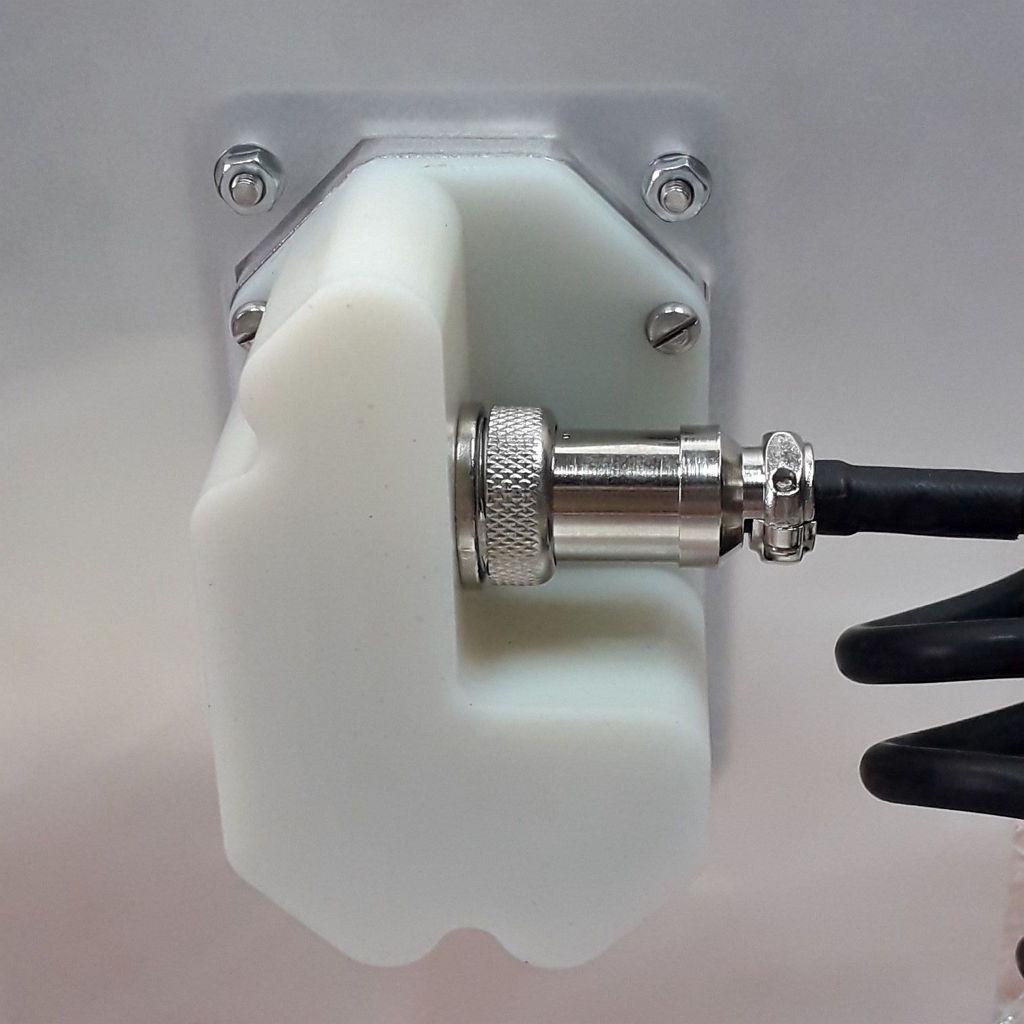
If the standard elevator panel is already equipped with a call button, microphone and speaker, just connect the Universal Communicator Box to it using a universal twisted cable. In this case, there is not even a need to buy a dedicated front panel.
All these advantages make obvious the choice of communicators and software by TreeTalk when installing new and maintaining existing elevator equipment.
Fig. 5 PTT Panel (front view)
Fig. 6 Wall PTT Panel (rear view)
* The technology is specifically designed to provide uninterrupted voice communications and is protected by US patent 9,338,275.
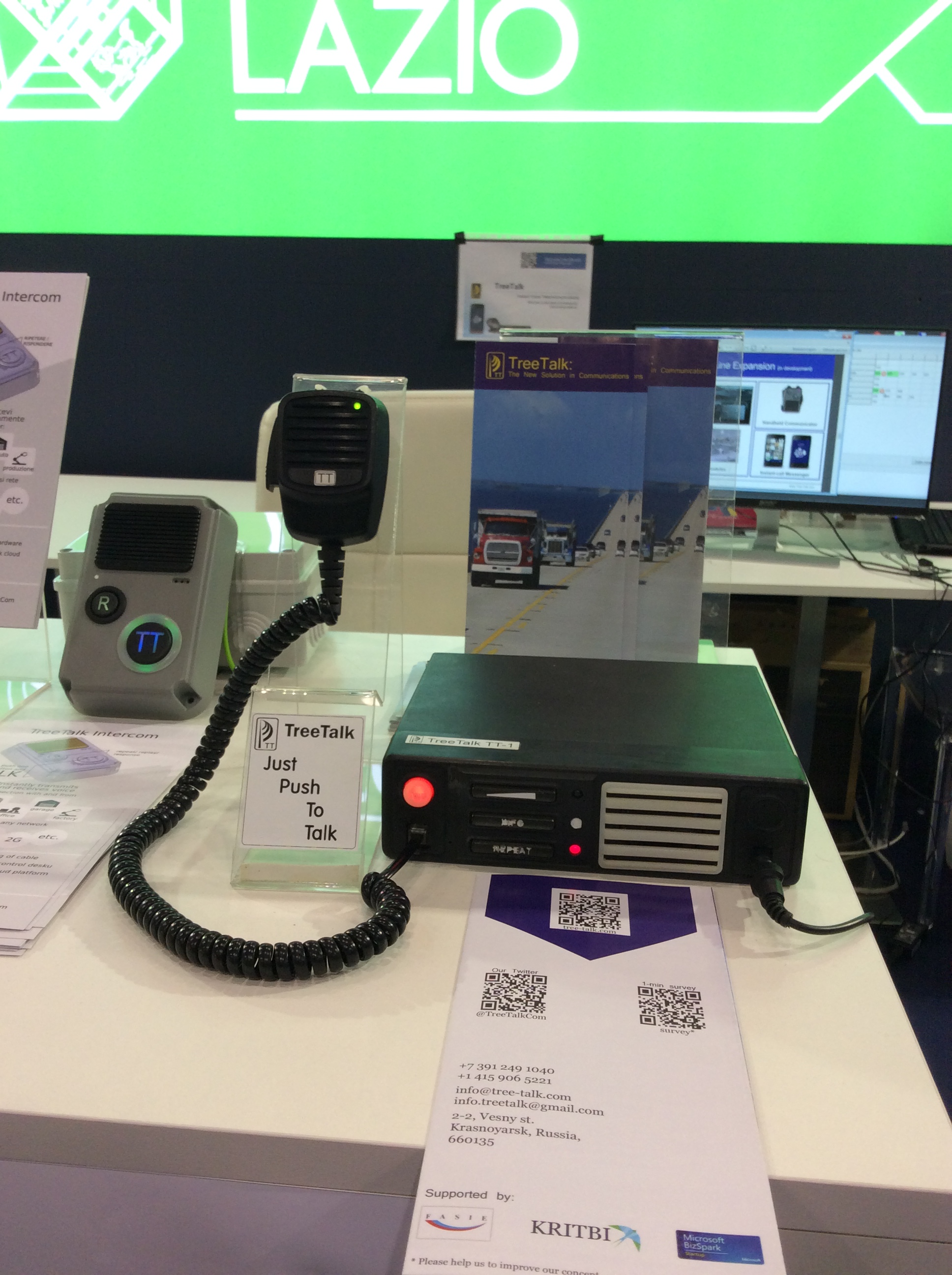
TreeTalk became the finalist of the Call4Makers competition in the Innovative Projects category and presented its promising products at the Regione Lazio stand. It is a great honor for us to represent this Italian region at such a major international event.
Maker Faire is the Greatest Show on Earth in the field of invention and creativity. And Maker Faire Rome is the world’s largest Maker Faire exhibition after the “Bay Area” and “New York” in the US. Over 100,000 people participated at the biggest European innovation event in 2018.
It was an amazing 3-day event, transmitting its energy to visitors and participants. Existing companies and promising projects in various fields, such as electronics and prototyping, robotics, space, 3D printing, virtual and augmented reality were presented at dozens of thematic sites of the Nuova Fiera di Roma exhibition center.
Universities, as well as business incubators and Active Spaces (Spazio Attivo) – innovative creative platforms of Lazio Innova, represented their projects. A special place was occupied by master classes and Science Show for young people and children. And, of course, in a country where the art has long become an integral part of everyday life, particular attention was attracted by the places where art and modern high technologies together created new interesting forms.
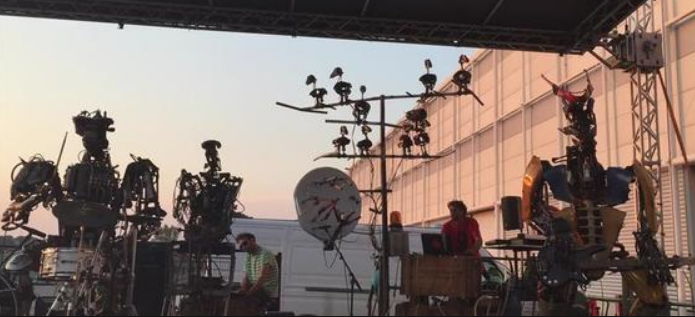
The attention of visitors was attracted by the tireless iron (literally) rock musicians of the One Love Machine Band, playing in the open air. Amazing products, decorations, clothes and art objects from traditional materials (wood, metal, ceramics, and fabrics), but created using digital technologies, were presented.
In addition to the entertainment program, the attention of specialists was attracted by high-tech solutions in the field of Industry and Business 4.0, revolutionary solutions for the retail, agriculture, food industry, and waste processing.
It is worth saying a little about the site where the exhibition was held. Fiera Roma was opened in April 2006 and is one of the largest and most prestigious exhibition poles in Europe. This is a great architectural work, designed by the architect Tommaso Valle, and this is an excellent futuristic business center. The center is powered by the largest thin-film solar system in Italy, covering about 38,000 square meters of the pavilion roofs. The system generates 1.8 million kWh of clean energy per year.
In addition, Fiera Roma is a center for international trade and communications. Rome is not only a world-famous tourist destination but also a very important business center, strategically located in the midst of economic flows between north and south Italy and Europe. It is a bridge between old and new markets, equipped with modern and functional structures. The exhibition center is part of a multifunctional retail and office district with an area of more than 390,000 square meters.
Fiera di Roma is situated in a strategic location and is served by an excellent transport network. In addition to roads with convenient parking and interchanges, the complex has its own suburban railway platform (2 stops from the Fiumicino international airport or several stops from the center of Rome). At the time of the Maker Faire exhibition, the Italian railways not only increased the number of trains but also organized an information point on the platform with multilingual staff helping visitors to buy tickets and understand the routes.
TreeTalkpresented its promising developments at the exhibition. Those are the real-time voice communication devices: the prototype of the car voice communicator “The Terminal One” and the prototype of the stationary communicator “TreeTalk Intercom“. Also were demonstrated: a prototype of a user web interface for managing devices and their groups (TreeTalk Web Panel) and a prototype program for the PC TreeTalk Dispatcher, which combines the functionality of personnel task management and instant communication with a specific employee (selective call) or with the whole team (group call).
We are grateful to the jury of the Call4Makers contest for the high appreciation of our developments and the opportunity provided. Thanks to participation in the exhibition, we were able to acquaint many people with our developments and get extremely useful feedback that will allow us to improve our prospective products.
For the startup TreeTalk, the summer of 2018 turned out to be really hot, but productive. We moved to Rome, got acquainted with the local innovation ecosystem (the story is still to come), tested the new version of The Terminal One in extreme hot climate conditions. And now this is it – first working version (according to the internal numbering of TreeTalk – ver. 0.1) of a completely new device, code-named Intercom, appeared!
This is the natural development of the overall concept. Since we already have a ready-to-use infrastructure for voice and device management (TreeTalk platform), why not add devices to the product line that are not quite mobile (but more about that later), but also work with voice information and require grouping together with possible topology of the “star” type, with the dispatcher’s computer in the center.
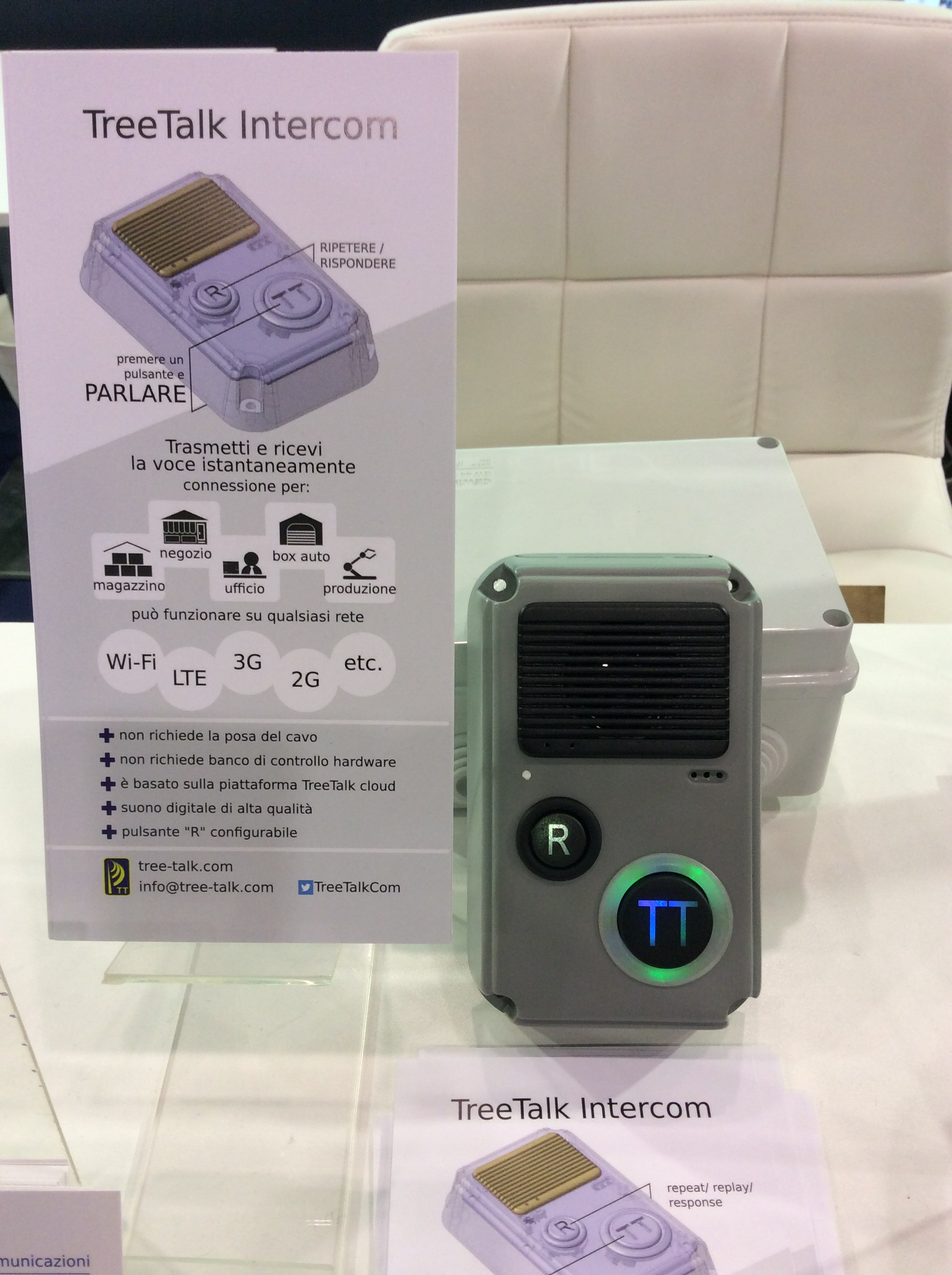
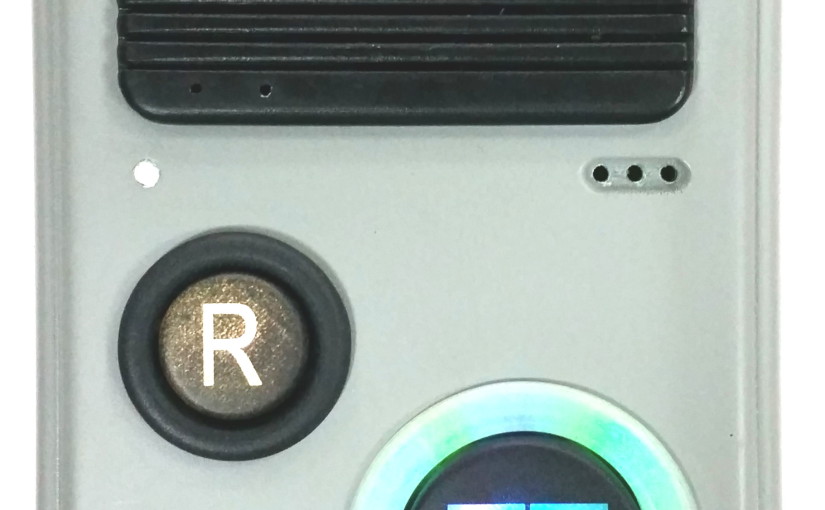
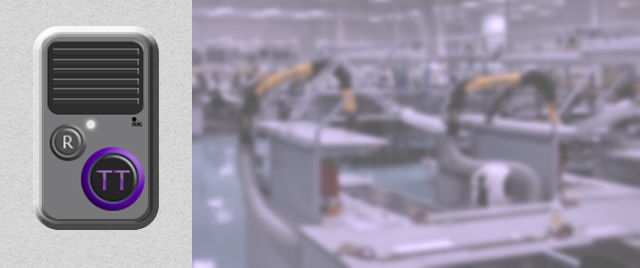
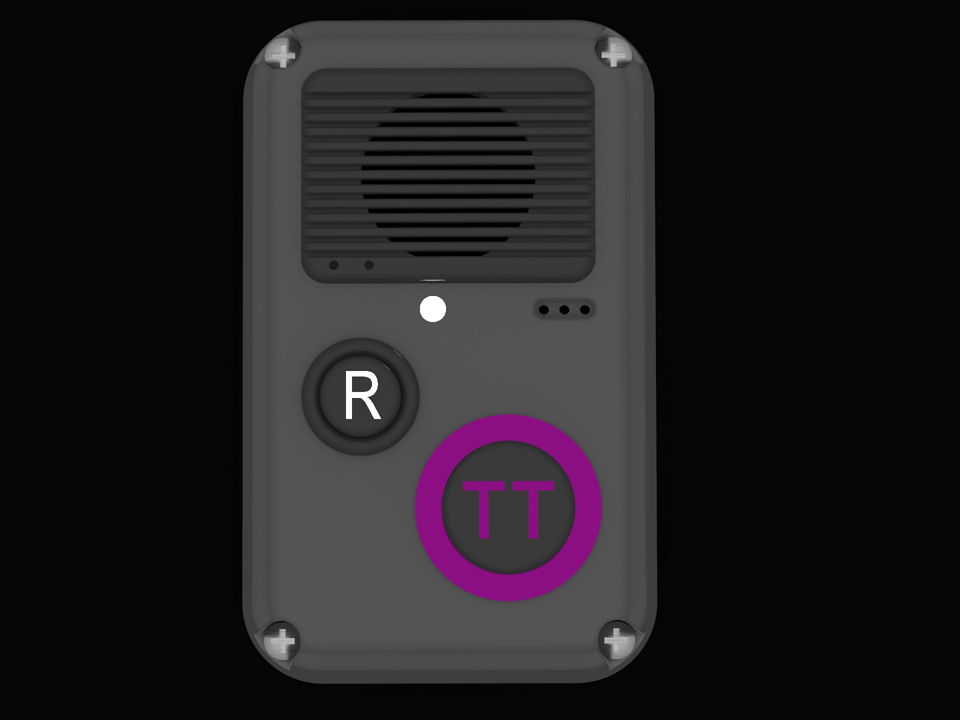
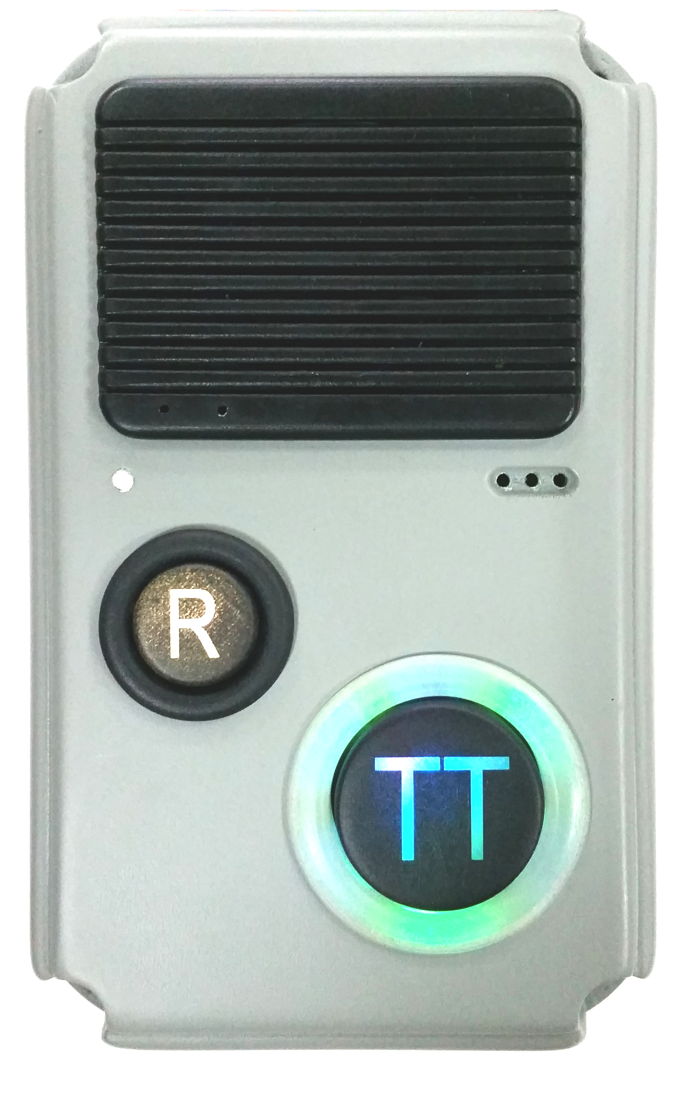
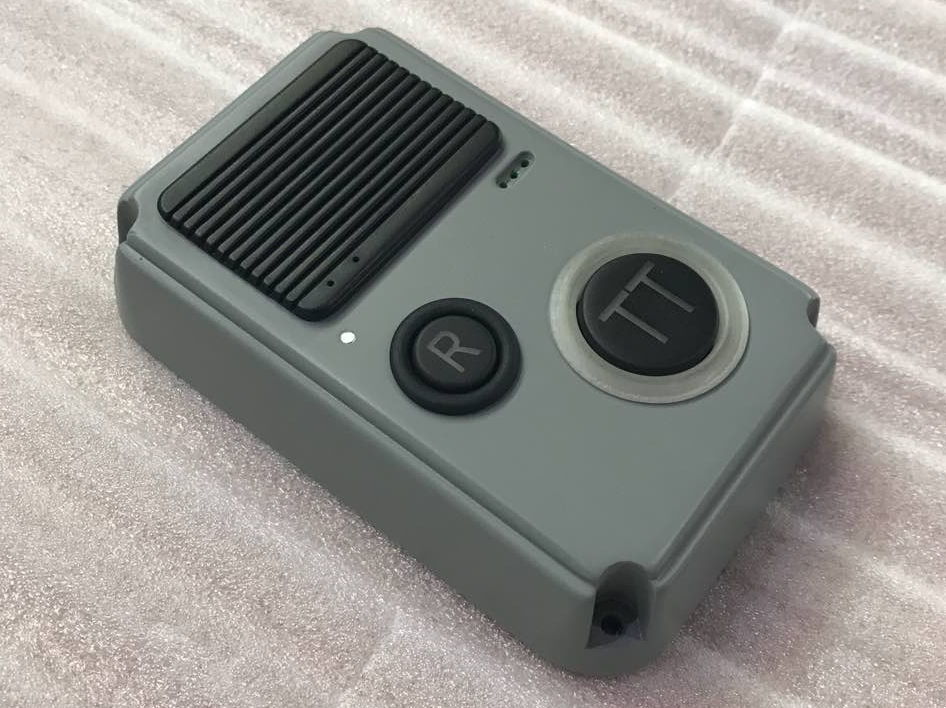
And here is the very first workable prototype of the product of this series. Externally, it really looks like a door phone or an intercom, and it’s as simple from the outside – the user just press and hold one TT button (TreeTalk or ToTalk, whatever you want) to contact his team or dispatcher. So far, everything seems familiar. But then – the differences begin:
TreeTalk Intercom does not require the laying of cable communication lines – it works with existing Wi-Fi, LTE, 3G, 2G, any data transmission networks (depending on the modification chosen). However, on twisted pair it can work too.
Old-style Intercom Control Desk – photo by H.stadler
TreeTalk Intercom does not require hardware control desk, switches or commutators – it runs on a cloud-based TreeTalk platform, and it’s enough for the user (figuratively speaking) to make a few clicks of the mouse in a convenient and intuitive user web interface to create a group of devices, to make the necessary settings, and to link it to the dispatcher’s program.
TreeTalk Intercom is a digital device and the quality of the transmitted speech is also digital.
TreeTalk Intercom has useful features – an indication of the incoming message and its replay (if necessary) or a response on the reverse channel, depending on how the second button is configured.
Where is needed all that? Briefly – everywhere, where constant connection
and voice communication in real time is required – in warehouses, in shops, in offices, workshops and garages, in manufacturing and on the conveyor, on
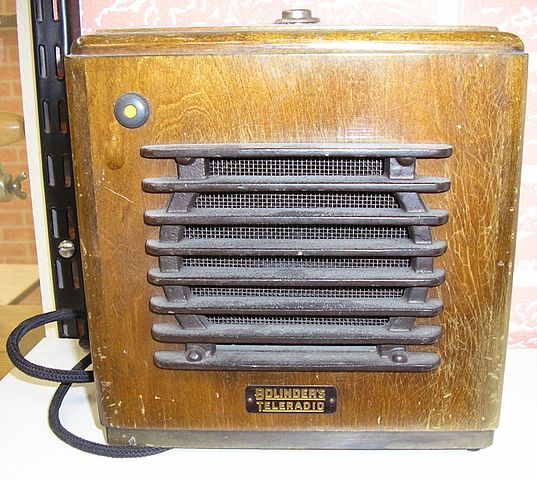
Aged Bolinders Teleradio
technological machines and transport, in elevators and basements. And on the doors and gates with access control system, too 🙂 Slightly modified communication modules can be built into ATM, parking meter, self-service kiosk, and so on.
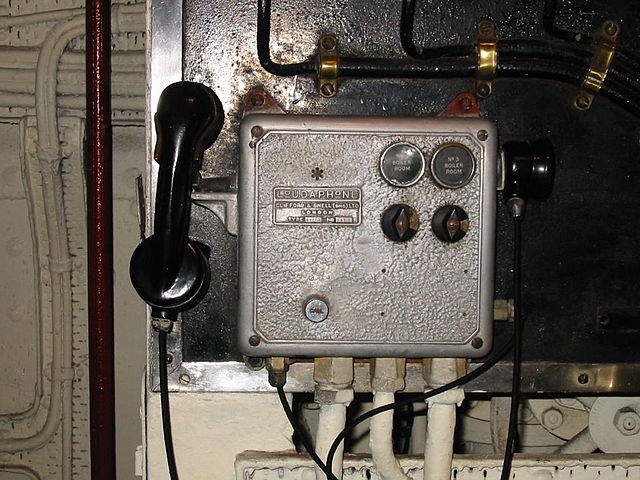
Loudaphone on Queen Mary – photo by Binksternet
For example, if an ATM swallows a card, or the vending machine is acting up, nowadays you have to find a hotline phone number, to call, to wade through annoying ads and “press 1 for this, press 2 for that”, then explain the problem to the service employee a long while. Instead, simply press a button and talk – TreeTalk connects instantly, and the operator is already known exactly where you are, and probably what happened.
Let’s look into the nearest future. You definitely will see Big Button with Purple TT Sign on the dashboard of self-driving cab, taking you home. Because even if algorithms, controlling the autonomous vehicle, look ideal, always there is a room for surprise in the real life. So the people inside and, maybe, outside the vehicle must have the opportunity of instant voice connection to the dispatcher / control tower / support.
Afterward, imagine a goofy delivery robot obtruding the wrong sort of pizza, which you have not ordered — you just may to push a similar button on it and instantly tell the operator what do you think about Artificial Intelligence.
They say “Hardware is hard”. But anyone who developed hardware from the outline (“from 0 to 1”), will confirm that it’s hard to compare to something th
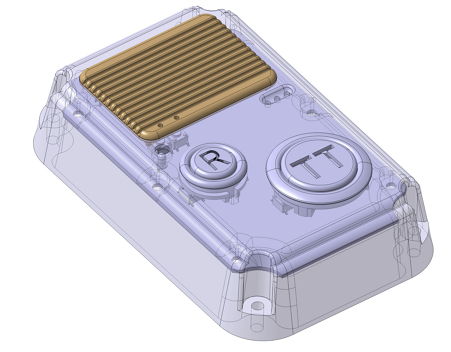
TreeTalk Intercom 3D model
e feeling, when an idea generates a sketch, then 3D model appears, and now there is something to hold in your hands, and here it WORKS! There will be many tests, iterations, modifications ahead, before the device will be ready for production. But the working capacity of the concept is proofed, the further is just a matter of technology and grind work.
Moving to the other city to the other country and is very time consuming. And, of course, is exciting. Especially if “the other city” is the Eternal City. Any movement is also distracting, but we are strong 🙂 So, despite the traditional Italian vacation time, we are trying to work. August is hot this year, and people run to the seaside. But we are already here and ready to take full advantage of the ardent heat.
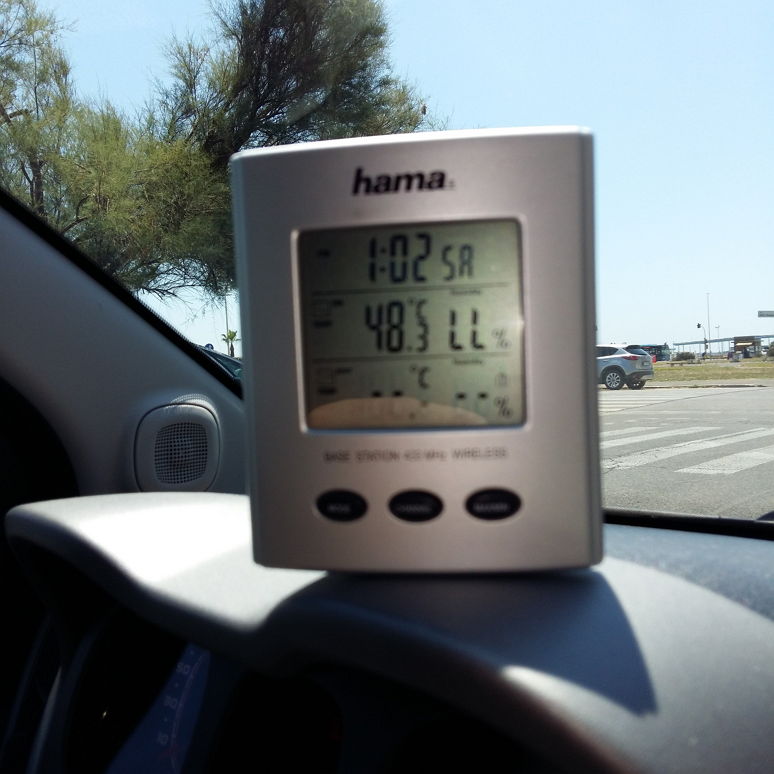
If you can remember, once upon a time, we tested our very first prototype in the really harsh conditions of Siberian winter. Now we have reincarnation number 3 of that prototype, and it’s time to trial it under the Southern sun. The conditions appear harsh enough, too, but in the opposite sense. The terminal was subject to temperature extremes up to +55 Celsius (131 Fahrenheit). The temperature inside the black metallic enclosure was 10-20 degrees more. During the test time, the built-in audit system recorded the slightest failures in the network connection, in the electronics and embedded firmware.
We have got a lot of data, most of which we still have to process, but we have first interesting results.
Spoiler: most of the tests completed successfully, clearly confirming the advantages of the TreeTalk terminal over conventional and trunked radios in the reliability and quality of the voice and in the convenience of handling.
Contrary to expectations, the extreme heat itself did not effect electronics much. But we could mark, thanks to specific environments, two peculiarities.
First one is an unstable data transfer speed of the local mobile carrier. Despite the fact that the signal almost did not disappear anywhere at all, the real data transfer speed varied in the wider range, then we use to see earlier, and the frequency switched from 3g to 4g and back more often. Perhaps, this effect is tied to uneven distribution of tourists (and their smart phones). Fortunately, our specially developed protocol, and speech-compression technology was made for working in low-speed second-generation networks. So, “LTE tourist challenge” was not a problem for our device.
Also, we found, that stability of geo-positioning was not as good as always in the narrow streets and small squares of the old Rome center. Sometimes, the majority of satellites became invisible to the GPS antenna, and precision of geo-positioning deteriorated. It seems to me, we finally unraveled the reason for the mysterious disappearances and quantum leaps of Roman buses on the maps of transport applications 🙂
Quite seriously, we anticipated this issue and evident solution will be to try using the geo-positioning chips that have real-time multi-system tuner, instead of a multi – system tuner, working in the switching mode. Perhaps, we should also slightly tune the predictive algorithm in order to make it more intelligent in the such cases. All these improvements will be done in the next version of the hardware. We hope that the next version of the terminal will be even more robust.
TreeTalk has begun conducting the real-life tests of the voice terminal. Now the prototypes are being tested in the cars, which is riding around the city and near suburbs in a mode of normal use. Thus, during parking, warm-up and on the move the terminals are subject to temperature extremes from -30 to +20 Celsius (-22 to +68 Fahrenheit). All this time, the built-in audit system records the slightest failures in the network connection, the electronics and embedded firmware.
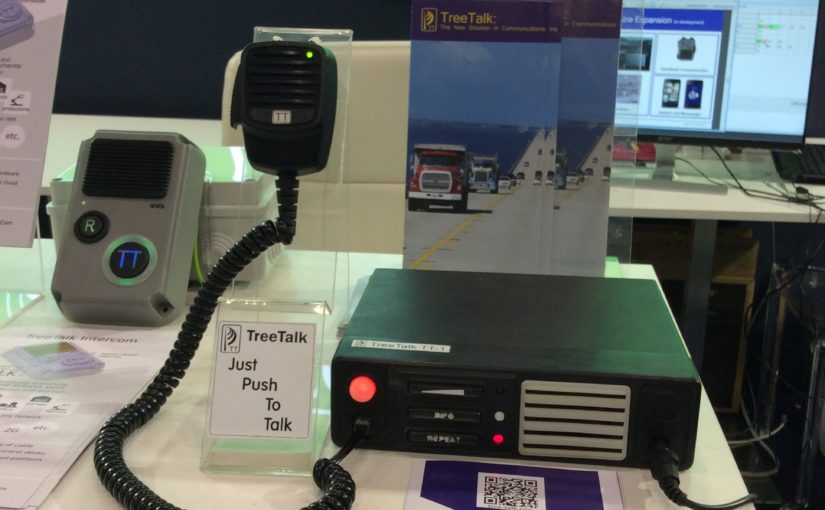
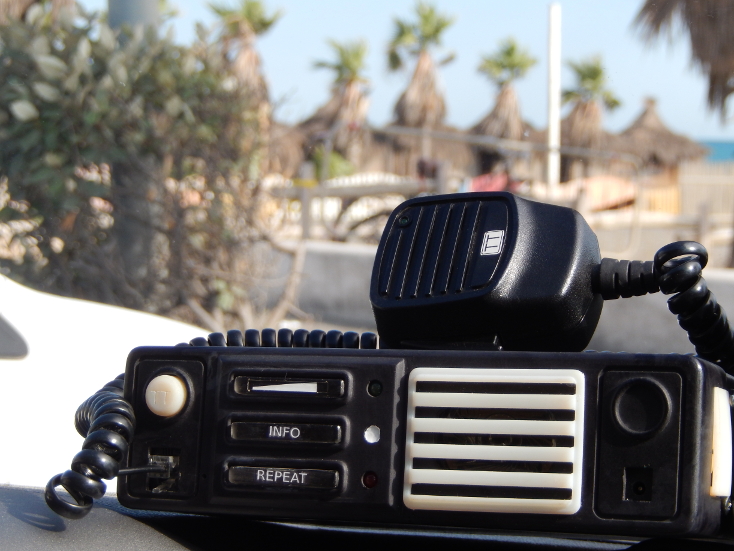
First trial run confirmed all of the declared advantages of TreeTalk solution. Yes, it still looks like a professional (conventional or trunked) two-way radio. It inherits the pluses of LMR/PMR: broadcasting, constant connection, instant calls, and simplicity. Additionally, TreeTalk adds its own features.
The differences are becoming clear from the very beginning.
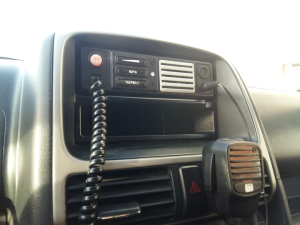
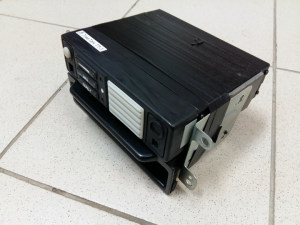
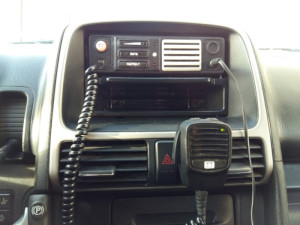
First, users of the TreeTalk devices do not need to spend time and effort to complex mounting. The device fits the standard 1-DIN slot perfectly and there is still enough place remaining for the car audio. Professional transceivers are heavy and usually hot. They are energy consuming, thus require dedicated power line from the car battery, made of thick wires. In contrary, TT terminal is light in weight and require minimum power (0.5 Amp). It is omnivorous (10-26 V), so did not require any special DC-DC converter. Its installation is easy, because our specimen has not any wires or connectors on the back panel to connect somewhere.
Strict design looks good in the dashboard of the car. Frontal speaker gives a sound loud enough, even on the medium volume level.
Second, TreeTalk terminal works without any external antenna. Radio hobbyists and professionals know that antenna, sticking out of the car top, is a weak spot and eternal headache. It is always going to be lost or broken, and the cable tends to be tangled and torn. So no antenna – no problem.
Third, the terminal is very friendly. All manipulations with the buttons are accompanied by signals or voice announcements (in English). If you miss the last message, led indicates that it is recorded — you can just push ‘REPEAT’ button to listen to it. (If you did not understand or resolve some important information, you can make that again).
TreeTalk has conducted regular field tests of the voice terminal prototype.
The terminal is designed for professional control room and group real time communications. In fact, this is a new class of mobile devices, in which the traditional strengths of radio communication (instant connection, broadcasting and simplicity) were coupled with the advantages of modern data networks. The voice signal is digitized, compressed, and transmitted by the Terminal to other similar devices and dispatching computers without loss of quality. Thanks to a specially developed protocol, even low-speed second-generation network, covering 90% of the world population may be used as a transport medium.
The methodology of the current test was designed to assess the stability of the device and firmware in real operating conditions.
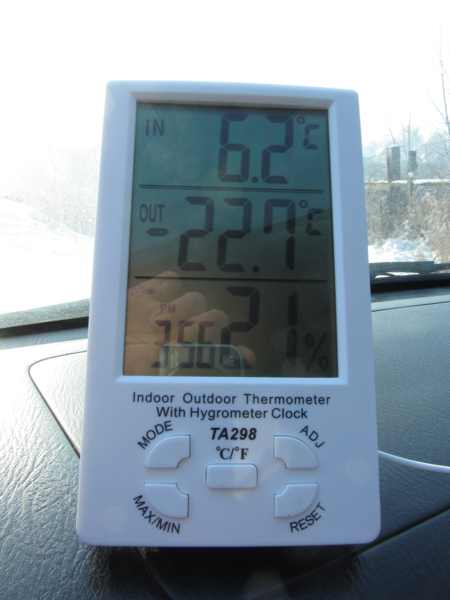
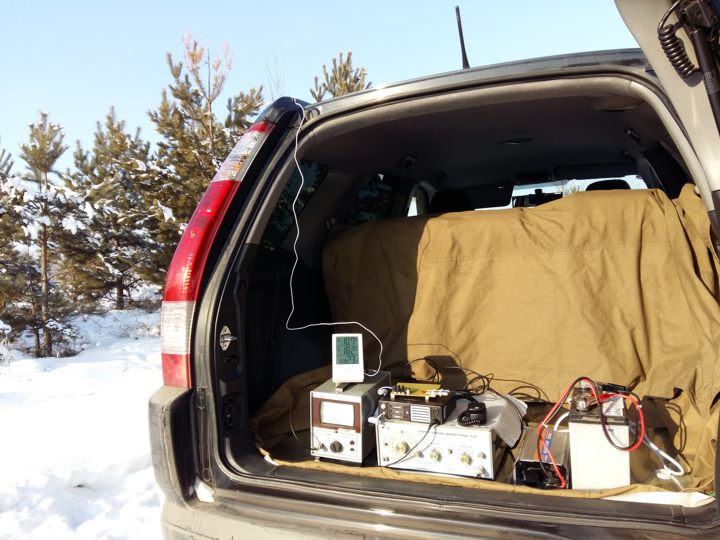
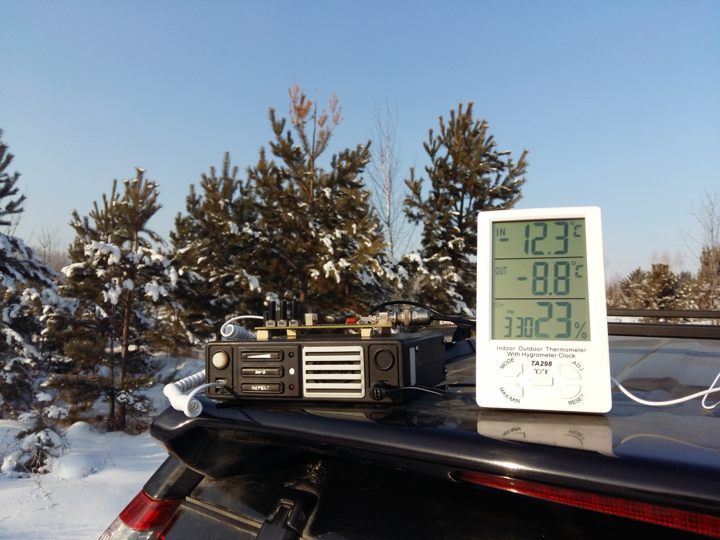
Within 14 days the equipment was tested around the clock in the laboratory. After that, within 7 days the experimental model of the terminal was working in a car that was moving around the city and nearby suburbs in a mode of normal use. Thus, during parking, warm-up and on the move the terminal subjected to temperature extremes from -30 to +20 Celsius (-22 to +68 Fahrenheit). All this time, built-in audit system was recording the slightest failures in the network connection, the electronics and embedded firmware.
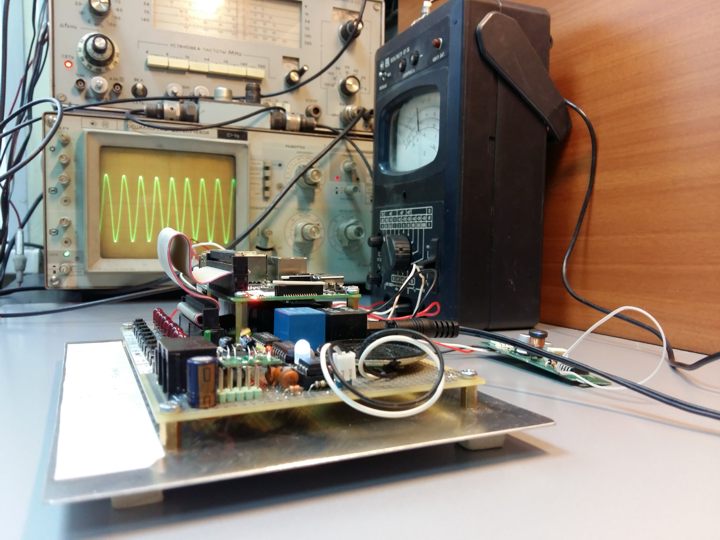
Then, a mobile measuring and laboratory benches were installed and the parameters of the speech signal were measured (in particular, the signal-to-noise ratio and frequency response), which describe the intelligibility and voice recognition when it is transferred from the terminal to other terminals or to the control room computer.
Current testing has been specially planned for the winter period and held in harsh conditions. However, most of the tests completed successfully, clearly confirming the advantages of the TreeTalk terminal in the reliability and quality of the voice, and the convenience of handling over conventional and trunked radios.
Users of TT terminals do not need to spend time and effort to obtain radio frequencies, search for a suitable location for the control tower and to install bulky antennas. It will be sufficient to purchase the required number of terminals and combine them into a virtual channel via a simple web interface to start using. TreeTalk LLC specialists believe that their technology, due to the convenience, the digital signal quality and additional features, will soon replace the obsolete analogue radio and will be used wherever you need a reliable, constant and instant voice communication.